

A reliable n8n deployment needs more than a container that starts. You need persistent storage, a secure way to handle credentials, a plan for growth, and backups you have actually tested. This n8n self hosting guide walks through those decisions in a practical order, from a single Docker host to queue-mode workers and recovery procedures.
The examples use Docker Compose, PostgreSQL, and Redis. Adapt environment variables to your n8n version and hosting environment, and verify them against the official documentation before production use. The aim is a deployment you can operate and recover—not merely a successful first launch.
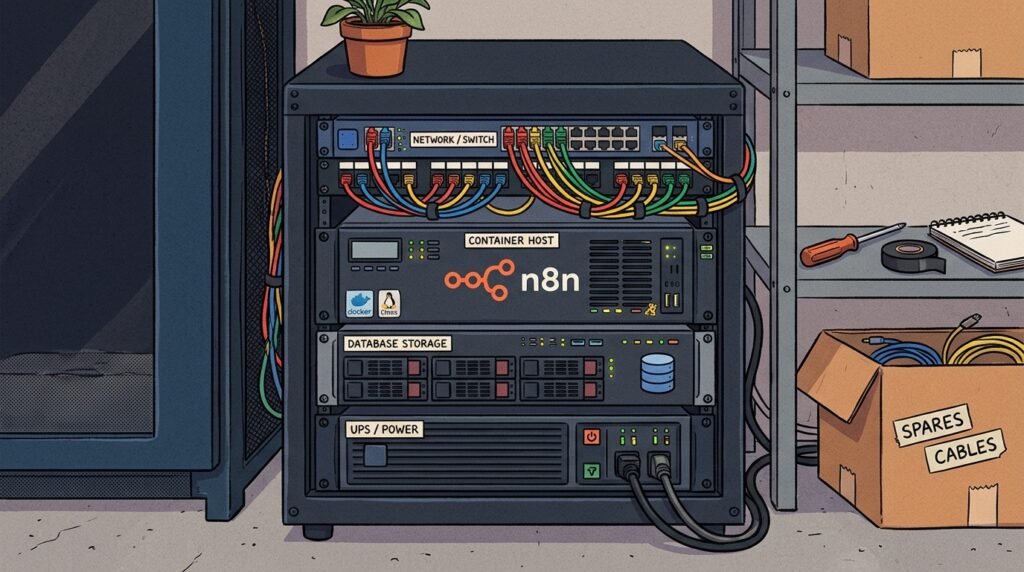
Plan your n8n self hosting guide around a clear architecture
Start by deciding what must remain available when a process restarts. n8n stores workflows, credentials, settings, and execution records in its database. In a production deployment, PostgreSQL is generally a stronger foundation than SQLite because it supports concurrent workloads and works with queue mode. Redis holds queue coordination data when queue mode is enabled; it is not a substitute for the primary database.
A compact initial architecture can run an n8n main instance, PostgreSQL, and Redis on one Docker host. This reduces operational complexity while keeping the services separated. Containers may share a private Compose network, while only the necessary web and webhook ports are exposed through a reverse proxy. Put the database and Redis on persistent storage where appropriate, but do not assume persistence alone is a backup.
Before writing a Compose file, map your traffic. The editor and API are used by administrators and integrations; webhook URLs receive external requests; scheduled and polling triggers need a running main instance. If webhook volume grows, you may later run dedicated webhook processors. If execution volume grows, queue mode lets workers process jobs independently of the main process. These are distinct scaling choices, not interchangeable replicas.
Also decide how binary data is handled. Workflows that process files can use substantially more storage and memory than text-only automations. Check which binary-data modes your n8n version supports in queue mode. In particular, do not assume local filesystem data on one container will be available to a worker on another host. Use a supported shared or external storage arrangement, or choose a compatible mode and test real file workflows.
Keep the encryption key consistent across every n8n instance. n8n uses it to encrypt stored credentials; if you lose it or run workers with a different key, credentials may become unreadable or executions may fail. Supply it through a protected secret mechanism rather than committing it to source control. Record who can access it and how it will be recovered during an incident.
For the initial design, write down service roles, persistent volumes, exposed ports, secrets, and the recovery owner. This simple inventory makes the n8n self hosting guide useful to the person who inherits the system, not just the person who created it. For a broader view of threat controls, review the n8n workflow audit checklist and identify which risks belong in deployment configuration versus workflow design.
Finally, set realistic service expectations. A single host is a single point of failure even if it runs several containers. It can be a sensible starting point for modest workloads, but it does not provide host-level high availability. Be explicit about that trade-off, measure actual execution demand, and add infrastructure only when a defined reliability or capacity requirement justifies it.
Build a Docker deployment queue mode foundation safely
Use Docker Compose to describe services, networks, health checks, and storage in one reviewable file. For a first production stack, define PostgreSQL, Redis, and n8n separately. Pin images to an intentional version or release tag instead of relying on an unreviewed floating tag. This makes upgrades planned changes: review release notes, back up the database, test in staging, then deploy and verify.
Keep application configuration in environment variables or a secrets manager. Typical settings include the database type and connection details, the public host and protocol, webhook URL, timezone where needed, and the encryption key. Exact variable names and supported values can change; use the current official n8n Docker installation documentation as the reference. Avoid copying a Compose example without understanding what each setting exposes.
Use a private service network for database and Redis traffic. Do not publish their ports to the public internet unless a specific, secured operational need requires it. Publish n8n behind a reverse proxy configured for HTTPS, correct forwarded headers, request-size limits appropriate to your workflows, and access controls for the editor. The public webhook endpoint may need to receive unauthenticated requests by design, but that is not a reason to expose the editor or infrastructure ports.
A Compose file should include durable storage for PostgreSQL data and a restart policy that helps services recover after host restarts. Add health checks where supported, but understand their limits: a healthy container process is not proof that an end-to-end workflow works. Monitor application logs and database health separately. If Redis is unavailable in queue mode, workers cannot coordinate jobs; if PostgreSQL is unavailable, n8n cannot operate normally.
The docker deployment queue mode arrangement should be introduced only after the non-queue stack has a known-good baseline. First confirm that n8n starts, the editor is reachable through HTTPS, a test workflow executes, credentials persist after a restart, and webhook URLs resolve to the correct public address. Then add queue configuration and workers in a controlled change. This isolates configuration errors instead of making several services difficult to troubleshoot at once.
Separate configuration from secrets. A checked-in example can document variable names using placeholders, while the production host injects real values from protected files or a secrets manager. Restrict access to Docker socket and host administration; access to the Docker daemon can effectively grant broad control over the host. Review image provenance and update containers regularly, but avoid automatic upgrades that bypass testing.
For a Compose-specific security walkthrough, use the n8n Docker Compose deployment security steps. When designing the docker deployment queue mode topology, document where TLS terminates, which ports are reachable, which data is persistent, and how a change is rolled back. That record makes later scaling and incident response far safer than relying on undocumented shell history.
Do not treat a successful container start as a release check. A short deployment checklist should include service status, application logs, database connectivity, a credential-backed test execution, one webhook test, and a restart test. Record the image versions and configuration revision so you can compare a healthy release with a failing one.
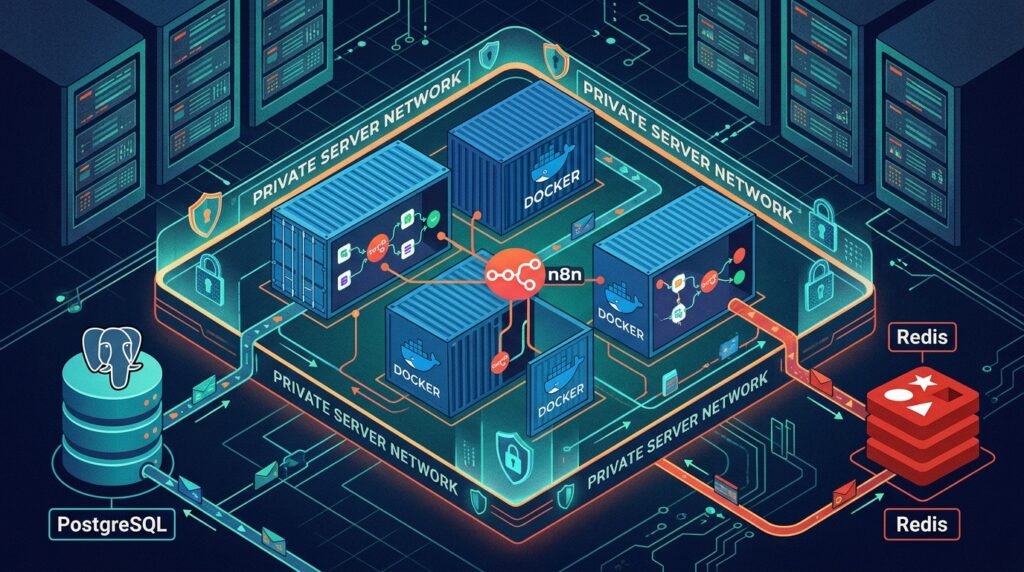
Enable queue mode and scale workers with measured demand
Queue mode separates the n8n main process from execution workers. The main instance handles the editor, API, triggers, and job coordination; workers take queued executions and process them. Redis provides the queue mechanism, while PostgreSQL remains the system of record. Follow the current n8n queue mode documentation for supported configuration and version-specific details.
Configure the main instance and every worker with compatible settings, including the same encryption key and database connection. Set the execution mode to queue and provide Redis connection details using the variable names documented for your version. Start with one worker and a simple workflow before adding replicas. A mismatch in secrets, database access, or queue configuration can produce failures that look like workflow bugs but are actually deployment problems.
Workers can usually be scaled horizontally by running additional worker containers or host-level replicas. More workers can increase concurrent execution capacity, but they also increase database connections, memory use, outbound requests, and pressure on third-party APIs. A workflow that calls a rate-limited service may become less reliable when concurrency rises. Set concurrency deliberately and coordinate it with provider limits rather than maximizing worker count by default.
Measure queue wait time, execution duration, failed execution rate, worker CPU and memory, database connections, and Redis health. For example, a growing queue with idle workers may point to a queue configuration or database issue; a growing queue with workers at full CPU may indicate that additional capacity or workflow optimization is needed. If executions are long because they repeatedly fetch large files, additional workers may simply multiply memory pressure.
Scale from observed bottlenecks. Add one worker replica, run a representative workload, then compare throughput and resource use. If throughput improves but PostgreSQL saturates, the database—not the worker count—has become the limiting service. If workers are underused but queue wait remains high, inspect scheduling, stalled jobs, and concurrency settings. Set alerts around user impact and queue age rather than treating container count as a success metric.
The docker deployment queue mode design should also specify what happens during maintenance. Pause new work or schedule a quiet window, allow active executions to complete where possible, and avoid casually restarting every component at once. Redis queue contents can represent work in progress; do not restore an old Redis snapshot into a live deployment without understanding the resulting job state. Test restart behavior and recovery using a staging environment.
Dedicated webhook processors may help when inbound webhook traffic competes with other responsibilities of the main instance. They add routing and operational requirements, so introduce them only after measuring a real bottleneck and following the supported n8n configuration. Keep the editor/main role clear, ensure incoming requests reach the correct endpoint, and test both normal and burst traffic.
Scaling workers is therefore a capacity exercise, not a one-line replica setting. The n8n self hosting guide works best when worker changes follow measurements and repeatable load tests. For practical performance diagnostics, see n8n workflow performance optimization fixes; improving a slow workflow can be more effective than adding infrastructure.
Operate the deployment: security, upgrades, and troubleshooting
Once the stack is running, make routine operations repeatable. Keep a deployment record containing the Compose revision, image versions, environment variable names, volume locations, DNS and proxy details, and the person responsible for each service. Store secret values separately. This inventory reduces recovery time and makes it easier to distinguish an application change from an infrastructure change.
Limit access to the editor, server, database, Redis, and Docker daemon according to operational roles. Use HTTPS, strong authentication, and a reverse proxy configuration that preserves the correct public webhook URL. Do not rely on obscurity or a nonstandard port as an access control. Review webhook exposure and authentication at the workflow level, because a publicly callable endpoint can trigger meaningful actions. The n8n webhook security controls provide additional checks for those endpoints.
Plan upgrades rather than making them incidental. Read release notes for breaking changes, test the new version against representative workflows and integrations, and verify backup availability before production changes. Back up before schema-changing upgrades. Keep the previous image version available for a rollback, but do not assume that switching the image back will reverse database migrations. Confirm the supported rollback path for the specific release.
Useful monitoring combines container health with application-level signals. Track restarts, memory and CPU, disk capacity, database availability, Redis availability, queue depth or age, execution failures, and webhook response times. Alert on actionable conditions. For example, disk space approaching a threshold calls for intervention; a brief CPU spike during a batch may not. Centralized logs help correlate a worker error with a database restart or a change in external service behavior.
When a workflow fails, first separate workflow-level failure from platform-level failure. Check whether only one workflow is affected, whether all workers show errors, and whether the database or Redis was unavailable at the same time. Inspect recent deployment changes and execution logs before restarting services, because restarts can erase short-lived diagnostic context. A targeted troubleshooting process is generally safer than restarting the entire stack on instinct.
Concurrency and retention settings also affect day-to-day reliability. High concurrency can exhaust memory or trigger remote API limits, while retaining every execution indefinitely can increase database storage and backup time. Set retention to meet operational and compliance needs, and confirm that important failure data remains available long enough for investigation. Test the effect of retention changes on the records your team relies on.
Use staging to validate configuration changes and representative workflows. Include credential-backed tests, error paths, webhook calls, and workflows that transfer binary data. The n8n workflow testing strategies article can help build repeatable test plans. A practical n8n self hosting guide includes change management because the safest deployment is one your team can update without guessing.
Finally, write down a simple incident sequence: who is contacted, what is checked first, how new work is paused if needed, where logs are found, and how recovery is authorized. Rehearse the sequence during a planned exercise. Clear ownership and a known procedure can matter as much as additional compute when an automation system supports business-critical processes.
Back up n8n data and prove that restoration works
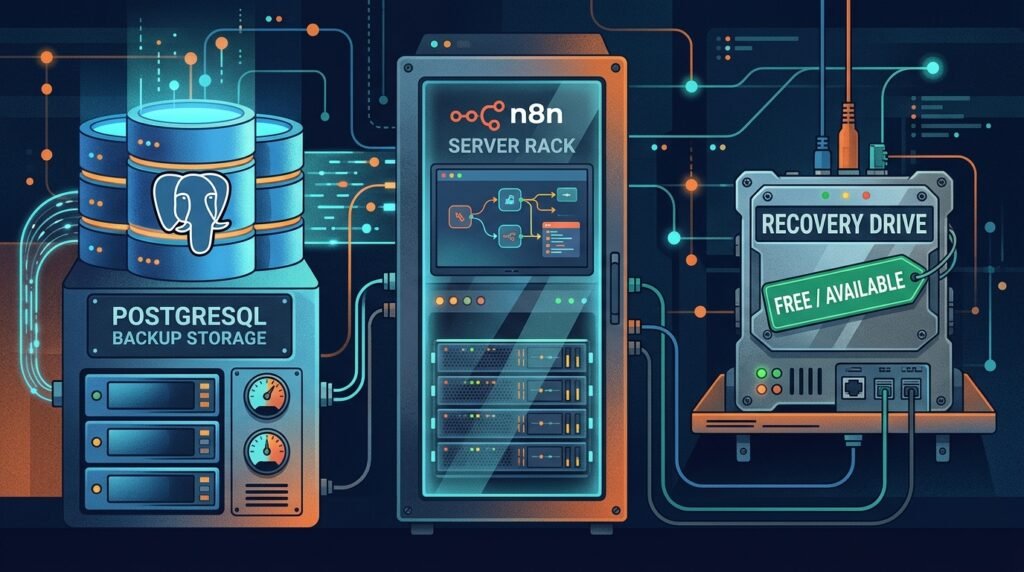
A useful backup plan protects the database and the information required to decrypt it. PostgreSQL contains workflows, credentials, and configuration data; the encryption key is essential to making stored credentials usable after recovery. Back up the key securely and separately from the database, with access limited to authorized operators. If the key is unavailable, a database dump alone may not restore a working automation environment.
Choose backup frequency according to how much work the business can afford to lose, not according to habit. A deployment with frequently changing workflows may need more frequent database backups than a stable internal tool. Define recovery point and recovery time objectives in plain language: how much recent change may be lost, and how long can the service remain unavailable? Those targets guide backup schedules and restore testing.
PostgreSQL supports logical backups and other backup approaches. Choose a method that suits database size, recovery needs, and operational skill, and verify it using the PostgreSQL backup documentation. A logical dump can be portable and convenient for smaller installations; larger deployments may benefit from a physical backup strategy and point-in-time recovery. Whichever method you select, monitor job completion and copy backups to a separate failure domain.
For a consistent recovery point, coordinate backups with changes and active executions. A database backup does not automatically capture binary files stored elsewhere, nor does it guarantee that an external object store or mounted volume is synchronized. Inventory all data locations, including any supported external binary storage, and protect them according to the same recovery objectives. Queue state in Redis should be handled deliberately: treat it as operational state, and do not blindly restore stale jobs into a running system.
Protect backup copies with access controls and encryption in transit and at rest. Keep at least one copy outside the primary host or account so that disk failure, accidental deletion, or compromised host credentials do not destroy both production data and recovery data. Define retention periods that balance recovery options with data minimization requirements. Verify that backups are not silently failing because of a full disk, expired credentials, or a broken scheduled job.
Restoration is a procedure, not a file. In an isolated test environment, provision compatible PostgreSQL, deploy the intended n8n version, restore the database, provide the correct encryption key, and restore any required binary data. Validate that workflows are present, credentials can be used, a sample execution succeeds, and webhooks have the expected configuration. Keep the test isolated so that restored workflows do not unexpectedly call production systems.
After a successful rehearsal, record the exact commands or automation, required permissions, expected duration, and validation checks. Repeat the test after major upgrades or backup architecture changes. A restore that has never been tried is an unverified assumption, even if the backup job reports success. For a detailed continuity checklist, review n8n backup and restore continuity steps.
This n8n self hosting guide treats backups as part of deployment because recovery depends on choices made at setup: persistent volumes, database selection, encryption-key custody, and binary-data handling. Keep a clean copy of configuration without secrets, document where protected secrets are recovered, and give a second qualified operator the ability to follow the restore plan. That preparation turns a host failure from an improvised rebuild into a controlled recovery.
Frequently asked questions
Can I self-host n8n with Docker on one server?
Yes. A single host running n8n, PostgreSQL, and Redis can be a practical starting point. It remains a single point of failure, so document that limitation, monitor the host, and keep off-host backups. Add separate hosts or redundancy when availability requirements justify the extra operations.
Do I need queue mode for every n8n deployment?
No. Queue mode is useful when you need workers to process executions separately or want to scale execution capacity. A smaller workload may run without it. Choose based on workload, reliability needs, and your ability to operate Redis and workers; queue mode adds moving parts as well as scaling options.
How many workers should I run?
There is no universal worker count. Start with one, measure representative execution throughput, and increase gradually while watching CPU, memory, database connections, queue age, and external API limits. A larger worker count can increase contention rather than improve performance.
What must I back up for an n8n restore?
At minimum, protect the PostgreSQL data and the n8n encryption key. Also include any required binary data or external storage, configuration needed to recreate the services, and relevant deployment version information. Test the restoration in isolation before relying on it.
Can workers use different encryption keys?
No. Keep the encryption key consistent across the main instance and workers that share the n8n database. Store it securely, restrict access, and include its recovery in the incident plan. A mismatched or lost key can prevent stored credentials from being used correctly.
Conclusion: build a stack you can recover
A dependable n8n deployment begins with clear service roles, secure Docker configuration, and persistent PostgreSQL storage. Add queue mode when measured workload calls for worker separation, scale gradually, and monitor the database and Redis alongside n8n. Most importantly, protect the encryption key and prove that backups restore workflows, credentials, and required files.
Use this n8n self hosting guide as a practical starting point, then adapt the architecture to your workload, security requirements, and recovery objectives. If you want expert help designing or automating a production-ready system, talk with Seelaunch about your automation goals.

