

A failed disk, corrupted database, accidental deletion, or botched upgrade can interrupt business-critical automations in minutes. A reliable n8n backup and restore plan limits the damage by protecting more than workflow JSON: it accounts for credentials, encryption keys, database records, binary data, and the infrastructure needed to bring the instance back online.
This guide explains how to automate backups, prepare point-in-time restores, and move n8n safely between instances. The goal is practical workflow disaster recovery: clear recovery targets, repeatable procedures, and tests that prove your team can restore operations before a real incident forces the issue.
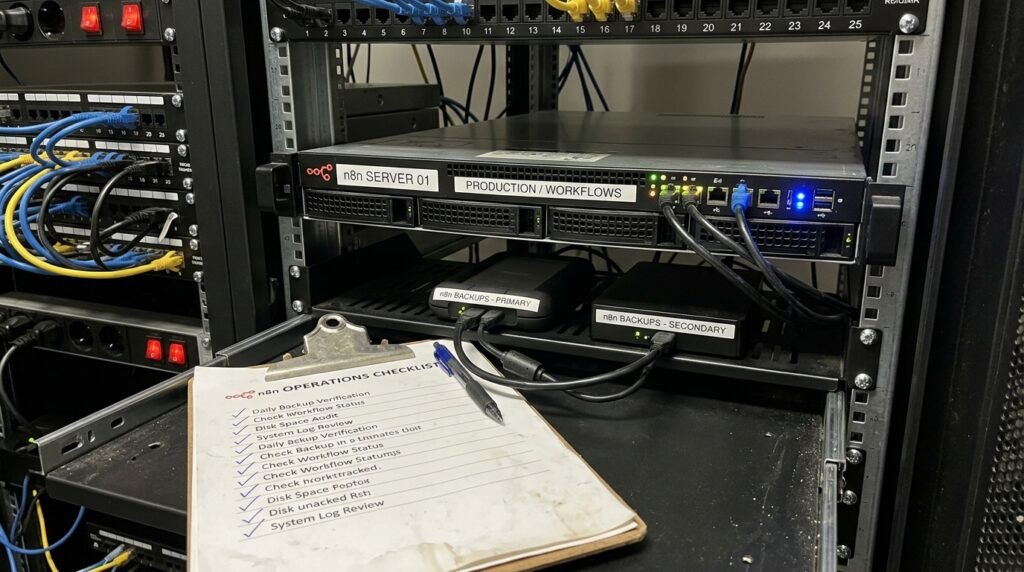
What n8n backup and restore Must Protect
A backup is useful only if it contains the pieces required to recover a working service. In n8n, the database is central: it holds workflows, credentials, users, settings, and execution records, depending on your configuration and retention policies. A JSON export of workflows can help rebuild automations, but it is not a complete instance backup. It may not preserve every setting, user record, execution detail, or binary file.
Credentials deserve special attention. n8n encrypts stored credential data with an encryption key. If you restore the database without the matching key, the encrypted records may be present but unusable. Back up the configured key separately, protect it with strict access controls, and document how an authorized operator can retrieve it. Never place an unencrypted key beside a database dump in a broadly accessible folder.
Also identify where execution data and binary payloads live. If binary data is stored on the filesystem, include that storage in the recovery design. If it is held in an external object store, confirm that the bucket, access credentials, lifecycle rules, and encryption settings are covered. Queue-mode deployments require attention to their workers and Redis configuration, too, although Redis queues should not be mistaken for the durable source of workflow and credential records.
Start by writing down the instance’s recovery dependencies:
- Database: SQLite file or PostgreSQL database, including a consistent backup method.
- Encryption key: the exact key used by the running instance, stored securely and independently.
- Binary storage: local files or external storage containing required workflow data.
- Configuration: environment variables, deployment definitions, custom nodes, and relevant certificates.
- Supporting services: Redis, reverse proxy, DNS, persistent volumes, and secrets-management access.
For a self-hosted deployment, keep the configuration and persistent-volume layout documented alongside your recovery runbook. Seelaunch’s n8n self-hosting setup guide can help teams review the deployment foundations that a recovery plan depends on.
Define recovery objectives before selecting tools. The recovery point objective (RPO) is the maximum acceptable amount of lost data, while the recovery time objective (RTO) is the target time to resume service. A small internal automation might tolerate several hours of data loss; a customer-facing workflow that handles orders may require more frequent backups and a much shorter restoration window. Those requirements determine backup frequency, retention, and how often you rehearse recovery.
A good n8n backup and restore design protects both the data and the ability to use it. Assign an owner to each dependency, record where its backups are stored, and state how to validate it after recovery. This turns an informal collection of files into a controlled recovery capability.
Build an Automated n8n backup and restore Routine
Automate backups on a schedule that matches your RPO, but do not treat a successful command exit as proof that recovery will work. Use database-native backups for the database, and separately capture configuration and file-based data. For PostgreSQL, a logical dump can support portable restores, while physical backups and archived write-ahead logs can support more precise recovery strategies. Choose methods based on database size, service limits, and your team’s operational experience.
For SQLite, stop or quiesce writes before copying the database file, or use a supported SQLite backup method that produces a consistent copy. Simply copying an actively written database can result in an unusable snapshot. For PostgreSQL, use a consistent database backup process rather than copying live data files without the required coordination. The PostgreSQL documentation on continuous archiving and point-in-time recovery explains the database-level foundation for restoring to a selected time.
A practical scheduled job should create a timestamped backup, verify that expected files exist, calculate checksums, and report both success and failure to an alerting channel. Encrypt backup files before they leave the host, transfer them over a secure channel, and store copies in a separate account or region. A backup kept only on the same server as n8n is vulnerable to the same disk loss, ransomware, or operator error as the live system.
Schedule, retain, and verify
Use a retention policy that balances recovery needs with storage and privacy requirements. For example, keep frequent short-term snapshots for recent mistakes, daily copies for a longer window, and selected monthly archives where policy permits. The precise schedule depends on data change rates and compliance obligations; there is no universal retention period. Expire old backups automatically, but protect the retention configuration from ordinary application credentials.
Include checks that catch incomplete or unexpectedly small backups. Record timestamps, database version, n8n version, backup method, checksum, and completion status in a central log. Alert an operator when a backup fails or when no fresh backup has arrived within the expected interval. Monitoring backup jobs separately from n8n helps detect a silent failure before a recovery event.
Workflow exports provide an additional portability layer, not a replacement for database backups. The official n8n CLI documentation describes commands for exporting and importing workflows and credentials. Automate exports for version control or migration preparation, keep credential exports protected, and test imports on a non-production instance. Avoid exporting secrets in plaintext unless a controlled process specifically requires it.
Make backup access least-privilege. The production n8n process should not need permission to delete every historical backup. Use a separate backup identity, restrict write and delete privileges, and retain an offline or immutable copy where your threat model calls for it. Keep encryption keys and recovery credentials in an approved secrets manager, not inside the same archive they unlock.
Finally, test the complete n8n backup and restore path on a schedule. Restore into an isolated environment, verify that workflows load, confirm that credentials can be used safely, and inspect binary data and execution history. Record the elapsed recovery time and any manual steps. A backup that has never been restored is an assumption, not a proven safeguard.
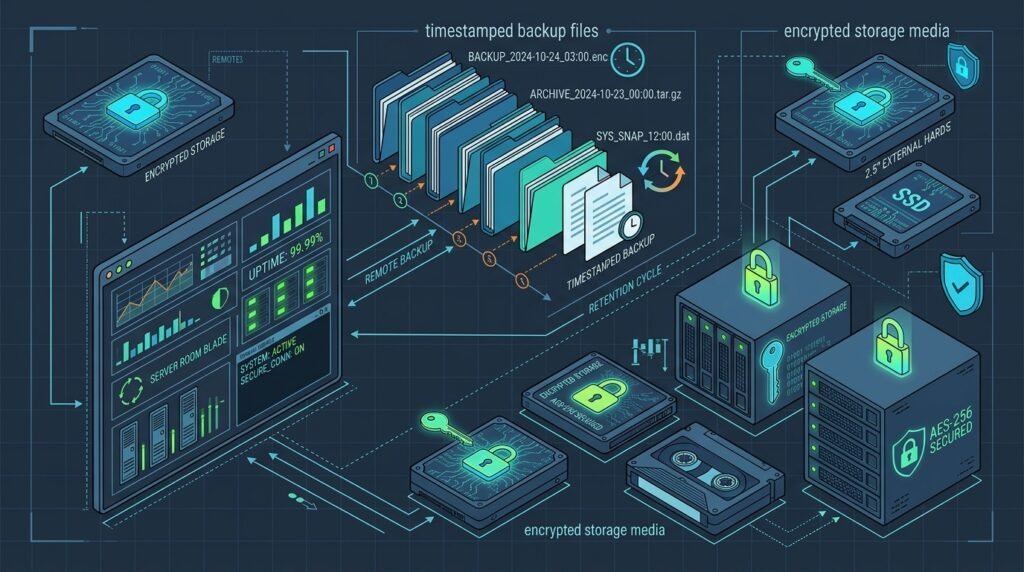
Use Point-in-Time Recovery for Database Mistakes
Scheduled snapshots protect against many failures, but they leave gaps between backup times. Point-in-time recovery (PITR) uses a base backup plus a sequence of database transaction logs to rebuild a database to a selected moment. That can be valuable after an accidental workflow deletion, a faulty bulk update, or a software change that damages records. PITR is a database capability; it is not a button built into n8n, and it does not automatically reverse changes in external systems.
In PostgreSQL, PITR commonly relies on a base backup and continuous archiving of write-ahead log (WAL) files. Configure WAL archiving to a protected destination, monitor archive delivery, and set a recovery target appropriate to the incident. The official PostgreSQL recovery guide covers the mechanics and important configuration requirements. Make sure the process is tested with your actual PostgreSQL version and hosting environment.
Prepare a safe recovery sequence
- Stop the change from spreading. Disable affected schedules or pause production workers. Preserve logs and identify the approximate time of the damaging event.
- Choose a recovery target. Select a timestamp just before the failure, accounting for time zones, delayed jobs, and the time at which damage first occurred.
- Restore to isolation. Recover the database to a separate host or isolated environment first. Do not overwrite production before you have inspected the result.
- Check related data. Compare workflows, credentials, executions, and binary files. Filesystem or object-store data may need a coordinated restore to a matching point.
- Validate and cut over. Test critical workflows with safe endpoints, then promote the recovered environment or replace production according to a rehearsed plan.
Coordination matters because database and external state do not always share one transaction boundary. A workflow may have sent an invoice, created a ticket, or charged a customer before its execution record was lost. Restoring n8n’s database to an earlier point does not undo those actions. Before replaying workflows, inspect their side effects and use idempotency keys, duplicate checks, or manual reconciliation to prevent repeated actions.
Keep a recovery window that includes the logs needed to reach the target time. Confirm that the base backup and every required WAL segment are available, readable, and protected from accidental deletion. Alert on gaps in archiving and track the last successful restore test. If your database provider manages PITR, document its retention limits, restore interface, and the extra time needed to provision a recovered instance.
For teams using SQLite, database-level PITR is not the same as PostgreSQL WAL archiving. Use frequent consistent snapshots or a migration to a database service with recovery features that match your RPO. In either case, exports can help recover workflow definitions, but they cannot reliably reconstruct every instance record or external side effect.
A mature workflow disaster recovery plan treats a recovery point as a candidate state, not an automatic production release. Test it, compare it with the incident timeline, and document the approval to cut over. This careful sequence makes n8n backup and restore useful for real operational mistakes rather than only for rebuilding after a server failure.
Plan a Safe n8n Instance Migration
An n8n instance migration is a recovery task when the old host is failing, but it can also be a planned move to new infrastructure, a new database, or a different hosting model. Treat it as a controlled change with a rollback path. Before copying anything, inventory the source: n8n version, database type and version, encryption key, custom nodes, binary-data mode, queue configuration, environment variables, DNS and webhook URLs, and active schedules.
Choose a target version that is supported for your migration path and test upgrades in stages. Do not combine a database move, major version upgrade, credential redesign, and webhook change into one untested cutover. Build the target instance with matching configuration where necessary, restore a recent backup, and confirm that encryption keys and storage paths are correct before enabling production activity.
Use a staged cutover
- Prepare the destination. Install n8n and required custom nodes, configure database connectivity, set secrets and encryption key, and secure the instance.
- Copy and validate data. Restore a database backup or use the documented export/import process. Compare workflow counts, credential records, users, and relevant execution history.
- Run a rehearsal. Test representative workflows using sandbox credentials or safe endpoints. Check webhooks, schedules, error handling, and binary-data access.
- Freeze source changes. Pause workflow edits and disable triggers on the old instance. Take a final consistent backup or export after writes stop.
- Switch traffic carefully. Update DNS, proxy routes, webhook URLs, and integrations in a planned order. Enable schedules on only one instance to avoid duplicate runs.
- Observe and retain rollback. Monitor errors and execution outcomes, keep the old host intact for an agreed period, and define conditions for reverting.
Webhook behavior is a frequent source of surprises. Some external services cache callback URLs or require each endpoint to be re-registered. Confirm the production URL settings, TLS, proxy headers, and firewall rules. During cutover, decide which instance owns inbound events and how you will handle requests that arrive while DNS changes propagate. Do not leave both old and new instances with active schedules unless workflows are explicitly designed to prevent duplicate execution.
Migration also involves secrets and identity. Credentials may be encrypted in the database, so the destination needs the same key to use them after a database restore. If you rotate the key, plan a deliberate credential re-encryption process rather than changing it casually. Review API access, user permissions, and any external credentials tied to the old host. Keep temporary migration exports encrypted and remove them securely after verification.
Use version control and change records to make the process reproducible. The guide to n8n workflow migration steps offers a complementary checklist for moving workflow definitions, while n8n workflow versioning and rollback practices can help teams prepare recoverable changes. Keep the instance-level migration runbook distinct from workflow-level release notes: one moves the platform, the other tracks automation changes.
After the move, compare success rates, execution latency, queue depth, and webhook delivery against the baseline. Reconcile any workflows that were paused or events that were queued during the cutover. Retain the source backup and migration notes until the new instance has passed a defined observation period. A documented n8n instance migration reduces dependence on one administrator’s memory and gives the team a defensible rollback option.
Test Recovery and Keep the Runbook Current
Recovery becomes dependable through rehearsal. Schedule a restore exercise that uses actual backup artifacts, not a specially prepared demo export. A useful first exercise can run in an isolated environment with no production triggers and no access to live customer systems. Measure how long it takes to locate the correct backup, retrieve the encryption key, provision services, restore data, and validate critical workflows. Compare the measured time with your RTO and adjust the plan where it falls short.
Choose test cases that reflect business impact. Include a workflow with a webhook, one with a scheduled trigger, one that reads or writes binary data, and one that uses an important credential. Confirm that the recovered instance does not unexpectedly send messages, create duplicate records, or call production APIs. When safe validation is impossible, use mocks or sandbox accounts and clearly label the results as limited.
Make the runbook operational
Write concise instructions that an authorized on-call operator can follow under pressure. Include where backups are stored, which backup is considered known-good, how to access the secrets manager, who approves a production cutover, and how to contact database or infrastructure support. Record commands only after testing them against the deployed n8n version. Include expected output and a clear stop condition for steps that fail.
Track these operational checks:
- Most recent successful database backup and the latest verified restore.
- Availability of encryption keys, configuration, binary data, and required credentials.
- Database and n8n versions used in the last successful rehearsal.
- Recovery time measured against the target RTO and estimated data loss against the RPO.
- Known workflow side effects, external dependencies, and steps to prevent duplicate actions.
Keep monitoring distinct from backup execution. Alert when the backup schedule is missed, archive storage stops receiving logs, a backup file fails integrity checks, or storage is nearing capacity. A dashboard that shows workflow health can provide useful operational context; see the n8n workflow monitoring dashboard guide for ideas on observing automation activity.
Update the runbook whenever the platform changes. A new custom node, database migration, storage change, encryption-key rotation, queue-mode rollout, or version upgrade can alter recovery steps. Keep a copy of the procedure outside the production environment and control edits so the team can trust it during an outage. Review backup access after staff changes and test that emergency credentials still work.
Finally, record lessons after every exercise and incident. If the restore took too long, automate a manual step or improve provisioning. If a workflow produced duplicate external actions, add idempotency safeguards or change the replay procedure. If operators could not identify the correct recovery point, improve backup naming and incident logging. This feedback loop strengthens workflow disaster recovery over time and makes the next n8n backup and restore operation more predictable.

Frequently Asked Questions
How often should I back up n8n?
Set frequency according to your recovery point objective, change rate, and business impact. A service that changes workflows or processes events throughout the day may need more frequent database protection than a low-activity development instance. Test the selected schedule by restoring a recent backup and measuring the data loss and recovery time it actually permits.
Does exporting workflows provide a complete backup?
No. Workflow exports are helpful for portability and version control, but do not necessarily include all instance data, user settings, execution history, external binary files, or infrastructure configuration. Use exports as one layer alongside a consistent database backup, protected encryption key, and any required file or object storage.
Can I restore credentials without the original encryption key?
In general, encrypted credential data needs the matching key to be decrypted by the instance. Protect that key separately from the database backup, restrict access, and test retrieval during a recovery rehearsal. If the key is lost, having credential records in a restored database may not make those credentials usable.
Is point-in-time recovery built into n8n?
No. PITR is typically provided by the database and its backup or hosting platform. For PostgreSQL, it depends on a base backup and retained transaction logs. n8n must then be restored and validated against the recovered database, with related binary storage and external side effects considered separately.
How do I avoid duplicate workflow runs during an n8n instance migration?
Pause or disable triggers on the source before enabling them on the destination. Coordinate DNS and webhook changes, check for delayed events, and make sure only one instance owns scheduled execution. For workflows with external side effects, use idempotency controls or reconciliation steps to handle retries safely.
How can I prove my n8n backup and restore plan works?
Restore real backup artifacts into an isolated environment, retrieve the matching key, and test representative workflows without contacting production systems. Record whether critical workflows and data are intact, how long recovery took, and what manual steps were required. Repeat the exercise after material infrastructure or configuration changes.
Conclusion: Make Recovery a Routine
Reliable recovery combines consistent database backups, protected encryption keys, appropriate binary-data coverage, tested point-in-time procedures, and a controlled migration plan. Automate the routine work, alert on failures, and rehearse realistic restores so the runbook reflects what your team can actually do.
Start by documenting your RPO and RTO, then schedule a restore test and fix its first failure. A tested n8n backup and restore process can turn a serious outage into a manageable recovery. Need help designing resilient automations and recovery practices? Talk with Seelaunch about your n8n continuity plan.

