
A small edit to an automation can have outsized consequences: an invoice may be sent twice, a lead may disappear from a CRM, or a customer notification may go out with the wrong details. n8n workflow versioning gives your team a way to understand what changed, review it before release, and restore a known-good workflow when an update causes trouble.
Safe releases require more than saving a copy of a workflow. You need a reliable record of changes, a controlled path from development to production, and a rollback plan that accounts for credentials, data, and actions that have already happened. This guide lays out a practical approach for teams using n8n, whether they manage a handful of workflows or a growing automation portfolio.
What n8n workflow versioning should protect
Start by defining what a version actually represents in your business. A workflow is not just a canvas of nodes. It includes routing decisions, data transformations, error paths, schedule settings, webhook behavior, and assumptions about external systems. Those details encode critical business logic. A versioning process should preserve enough context to explain not only what changed, but why the automation behaves the way it does.
For example, imagine a workflow that receives a new order, checks inventory, creates a record in an accounting system, and sends a confirmation email. A developer might change a condition so orders with a particular shipping status take a different branch. The visible edit may be one node, but its effect touches fulfillment, finance, and customer communication. A useful change record identifies the affected business process, the intended behavior, and the test evidence—not just the node that was edited.
Decide which artifacts belong in version control and which need separate protection. Workflow JSON is a strong candidate because it records node configuration and connections in a portable format. Credential secrets should not be committed alongside it. An exported workflow can contain credential references and other configuration details, but your team should verify what its exports include in your n8n setup and keep sensitive values in the appropriate credential store. Never assume that a Git repository is a safe place for API keys.
Establish a baseline for each production workflow before changing it. Record its purpose, owner, trigger type, important integrations, expected inputs and outputs, and recovery contact. Capture whether it is active, which environment it belongs to, and any operational dependencies such as a webhook URL or schedule. Include important assumptions in a README or release note. These details help a teammate distinguish a deliberate behavior from an accidental configuration choice.
- Protect logic: Preserve branch conditions, transformations, retry behavior, and error handling.
- Protect operations: Track activation state, schedules, webhook behavior, and environment-specific settings.
- Protect secrets: Keep credentials out of committed files and document how approved credentials are mapped.
- Protect context: Explain the reason for a change and how the team verified it.
There is a trade-off between complete records and low-friction maintenance. Requiring a long document for every cosmetic edit can encourage people to bypass the process. Instead, make the required record proportional to risk: a label change may need a short note, while a change to payment routing or customer data deserves a reviewer, test evidence, and a rollback procedure. That is the foundation of n8n workflow versioning that protects the business rather than merely accumulating files.
Set up n8n workflow versioning with Git and clear environments
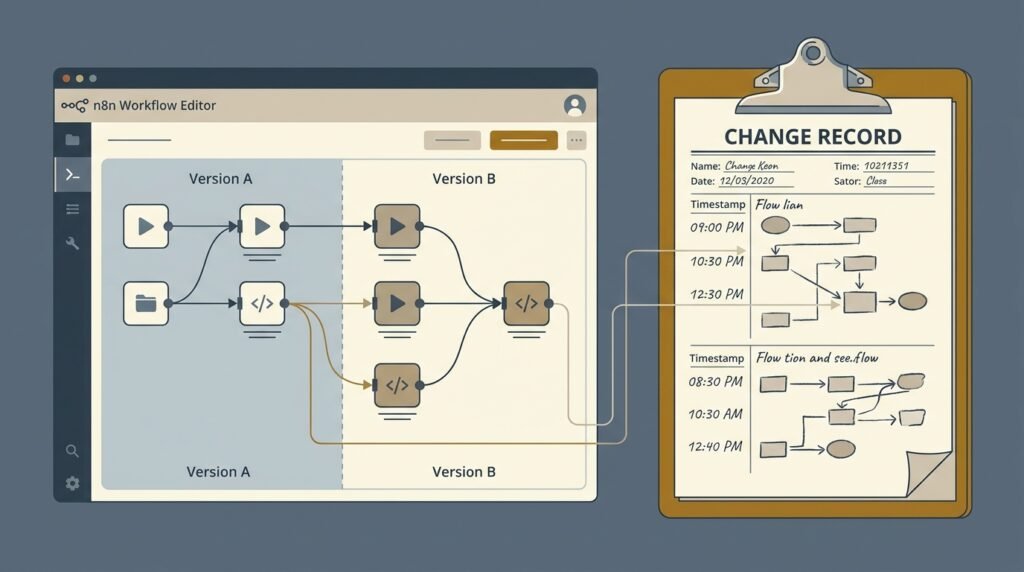
Choose a source of truth before multiple people begin editing the same production automation. For teams that use Git, n8n offers source-control and environment capabilities in supported configurations; the exact options depend on your n8n edition, deployment, and current product setup. Check the official n8n source control and environments documentation to confirm the features available to your instance. If you do not have those features, workflow JSON exports stored in a private Git repository can still provide reviewable change history.
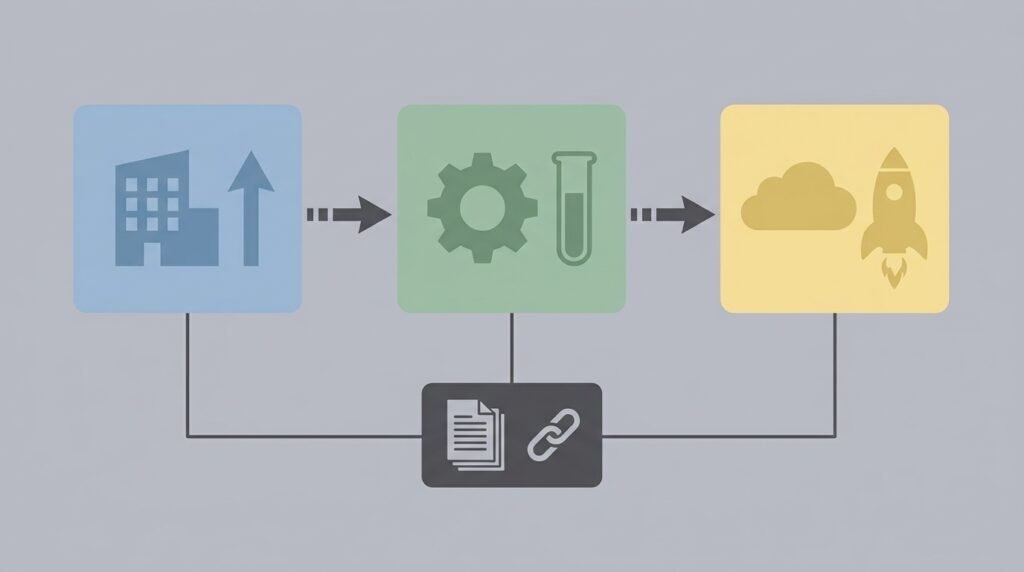
A simple environment model separates development, testing, and production. Make changes in development, validate them in a test environment with safe data, then promote the approved version to production. Keep configuration differences explicit. A test database, a sandbox API credential, and a production webhook are not interchangeable, even if the workflow logic is identical. Use environment-specific credentials and settings rather than embedding values that cause a test workflow to call a live service.
With Git, use branches or an equivalent review mechanism so that changes are inspectable before they reach the production branch. A practical sequence is:
- Create a branch or isolated working copy for one change or tightly related set of changes.
- Make the edit in the development environment and export or commit the workflow.
- Review the diff for changed nodes, connections, expressions, trigger settings, and credential references.
- Run tests against representative inputs and record the result in the change description.
- Merge or promote only after an authorized reviewer approves the risk and release plan.
Do not treat a successful Git commit as proof that a workflow is safe. A commit records a file state; it does not verify that credentials resolve, an API still accepts the request, or a trigger behaves correctly in production. Conversely, a manual change made in the n8n interface can create drift if it is not captured in the repository. Agree on who may edit production, how emergency fixes are recorded, and how repository state is reconciled after an urgent interface change.
Use meaningful commit messages and release notes. A message such as “Update order workflow” is weak because it says nothing about intent. Prefer a concise explanation such as “Route backordered orders to the fulfillment review queue” and link it to the related ticket or approval. Add a short release record naming the workflow, version identifier, approver, test result, deployment time, and rollback target. Git itself provides a durable history of commits and branches; the Git documentation on recording repository changes explains the core commit model.
Keep workflow identity and environment mapping in your deployment plan. A copied workflow can have different IDs, webhook endpoints, or activation behavior from its source. Confirm which version is active and where external systems point before switching traffic. Well-designed workflow version control makes the approved state easy to identify, but the deployment checklist is what prevents the wrong state from becoming live. n8n workflow versioning works best when commits, environments, and operational ownership all describe the same release.
Track changes and test business logic before release
A useful review compares behavior, not only appearance. When a workflow changes, inspect the before-and-after version and ask what data enters each node, what shape leaves it, and which branch is taken for unusual cases. A changed expression can look minor while altering how null values, empty arrays, dates, or decimal amounts are handled. A moved connection can bypass a validation step. Review the full path from trigger to final side effect rather than focusing only on the edited node.
Build a small test set from real business scenarios, with personal or confidential fields removed where possible. Include a normal case, a boundary case, and a failure case. For an order workflow, that might mean a standard in-stock order, an order with a missing optional field, and a payment-service timeout. For a lead-routing automation, it could mean a qualified lead, a lead with incomplete company data, and a CRM response that returns an error. Save representative input fixtures securely so future releases can repeat the checks.
Test each layer that could break:
- Data mapping: Check required fields, types, date formats, and transformations.
- Branch logic: Verify expected and unexpected values reach the correct route.
- External calls: Use sandbox credentials where available and confirm request and response handling.
- Failure paths: Test retries, error workflows, alerts, and recovery from partial completion.
- Trigger behavior: Confirm schedules, polling intervals, and webhook configuration for the target environment.
Pay particular attention to side effects. A test that sends a real email or creates a real payment can cause harm even if the workflow later rolls back. Use mocks, test accounts, or isolated destinations. If a workflow must be exercised against production-like services, get approval and define strict limits for recipients, records, and execution volume. n8n execution history and logs can help teams investigate test outcomes, but logs may contain sensitive data, so control access and retention.
Separate logic validation from release validation. First confirm that the intended rules produce the expected outcome with controlled inputs. Then verify that the production configuration points to the correct credential, endpoint, schedule, and resource. A workflow can pass a logic test and still fail because a production credential has expired. Similarly, a successful API request does not prove that the business rule selected the right customer or record.
Record evidence in the pull request, ticket, or release note: the test cases used, the expected result, the actual result, and any known limitation. Keep the record brief enough that reviewers will read it. Where a change touches branching or conditions, a visual comparison can complement a written explanation; see these n8n conditional logic branching patterns for examples of how workflow routes can be structured. n8n workflow versioning becomes operationally valuable when the version history is paired with evidence that important business logic still behaves as intended.
Plan rollback automation workflows without creating new failures
Rollback should be a rehearsed release action, not a panicked attempt to reverse an edit while customers are affected. Before deployment, identify the exact known-good version, where it is stored, who can restore it, and how long restoration should take. Decide whether recovery means reverting a Git commit, importing a saved workflow export, restoring a supported workflow history version, or redeploying a previous release through your own promotion process. Available features vary by n8n setup, so test the method you actually intend to use.
Also distinguish restoring workflow configuration from undoing completed business actions. Reverting a workflow does not retract an email already sent, restore inventory already reserved, or remove duplicate records created in an external system. If the changed workflow can perform irreversible actions, define a compensating procedure. That may involve identifying affected executions, reconciling records, notifying an owner, or running a carefully reviewed cleanup workflow. The rollback plan must describe both the automation state and the business state.
Use this sequence when a release needs to be reversed:
- Contain: Pause the affected workflow or disable the trigger if continued executions could compound the problem.
- Assess: Determine the affected time window, execution IDs, downstream systems, and customer or financial impact.
- Restore: Promote the approved previous version using the documented recovery method.
- Verify: Confirm the correct workflow is active, triggers are configured properly, and a controlled test succeeds.
- Reconcile: Address external side effects, missed events, or duplicate actions with an owner-approved procedure.
- Document: Record the cause, restoration time, impact, and follow-up actions before reopening normal change flow.
Idempotency reduces the damage a retry or recovery run can cause. Where possible, design workflows so that processing the same event twice does not create two orders, tickets, or payments. Use stable event identifiers, deduplication checks, and clear completion markers in the system of record. If idempotency is not possible, add explicit safeguards and require human review before replaying executions. Never assume that a workflow can safely be rerun simply because it is the previous version.
Monitor the release immediately after restoration. Check execution failures, queue growth, API response rates, and the business outcome that matters, such as completed orders or correctly routed leads. A dashboard and alerting process can help operators see whether the restored automation is healthy; this n8n workflow monitoring dashboard guide covers useful monitoring setup considerations. Good rollback automation workflows account for detection and verification as well as the act of restoring a file.
Finally, capture what the incident reveals. If the previous version was difficult to locate, improve release labeling. If the issue escaped tests, add a fixture or edge case. If the team could not tell which copy was live, clarify ownership and environment mapping. This is how workflow version control matures: every rollback strengthens the next release process instead of remaining an isolated emergency.
Make releases repeatable with ownership, backups, and monitoring
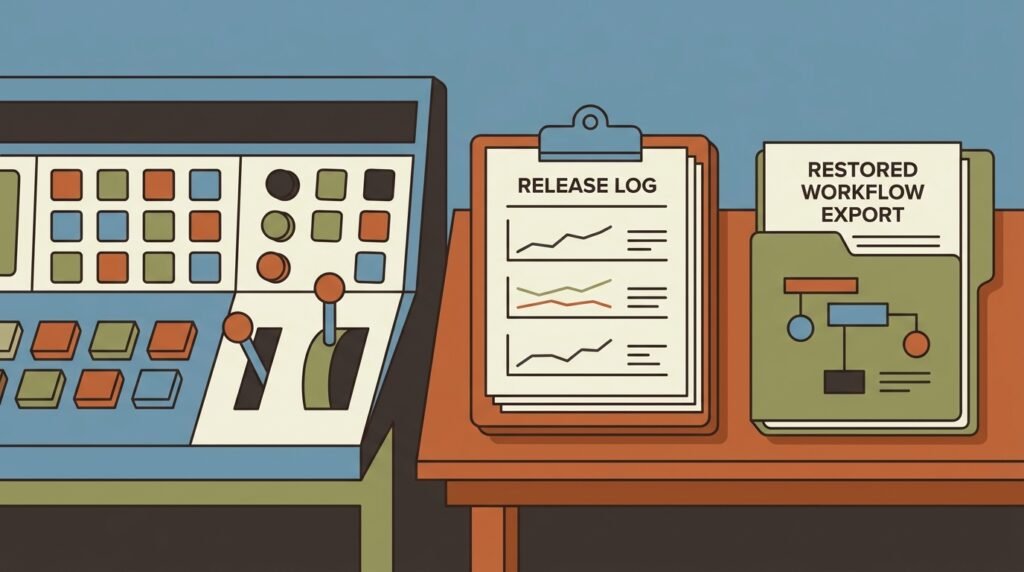
Version history is most reliable when it is part of a repeatable operating routine. Assign an owner to every business-critical workflow, even if several people can maintain it. The owner is accountable for confirming the purpose, approving high-impact changes, and ensuring the recovery steps are current. Record a backup owner so a release does not depend on one person being available. A lightweight inventory can include workflow name, business function, environment, owner, trigger, downstream systems, severity, and repository location.
Decide how the team handles workflow exports and backups. Git history is useful for reviewing deliberate changes, while a separate backup strategy can help recover from repository mistakes, accidental deletion, or infrastructure problems. Keep backups access-controlled and test restoration periodically. If you self-host n8n, plan for the broader deployment too: workflow definitions are only one part of a functioning instance. Database state, configuration, encryption keys, credentials, and storage can matter to recovery. Follow the documentation for your deployment and validate backups in a separate environment rather than assuming a copied file will restore everything.
Create a release checklist that fits the risk level. For a low-risk internal notification, it may be enough to review the diff, run a test, and confirm an owner. For a workflow handling payments or sensitive customer records, require a second reviewer, sandbox validation, explicit approval, a defined monitoring window, and a tested recovery path. A checklist should focus attention on meaningful failure modes rather than collect signatures without improving safety.
After release, compare expected and actual behavior. Track practical indicators such as successful executions, errors by node, processing delay, records handled, and downstream API failures. A sudden drop in execution volume can be as important as a rise in errors; a workflow may be running successfully while no longer receiving the events it should. Pair technical monitoring with a business-level check, such as verifying that expected orders reached fulfillment. Alert thresholds should reflect normal operating patterns so that urgent signals are not buried in noise.
Schedule a periodic review of important workflows and their recovery instructions. Confirm that the documented owner still exists, credentials are current, test cases still reflect business rules, and the rollback target is available. Remove stale copies that could be mistaken for production. Review access to repositories and n8n environments, particularly after team changes. These checks reduce the chance that a capable but unauthorized person, or an outdated file, becomes the source of a live release.
Make the process easy to follow during routine work. Provide a short template for change intent, risk, test evidence, approver, and recovery target. Keep environment names consistent across n8n, Git, and documentation. Encourage developers to raise small changes early rather than bundling unrelated edits into a large release. Strong n8n workflow versioning does not mean adding bureaucracy to every edit; it means making the safe path clearer than an undocumented production change.
When multiple teams share automations, agree on naming conventions and escalation routes. A release record should make it obvious which workflow changed, which version is live, and who to contact if monitoring shows a problem. These practices complement technical workflow version control with accountability. The result is a maintainable system where teams can improve workflows without losing the business logic that makes them valuable.
Frequently asked questions about n8n workflow versioning
Does n8n automatically save every workflow version?
Available history and source-control features depend on your n8n edition and configuration. Confirm the capabilities of your instance in the current documentation. Regardless of built-in features, maintain an approved export or repository history and test how to restore a prior state before relying on it in production.
Can I store n8n workflow JSON in Git?
Yes, Git can provide useful review and history for exported workflow definitions. Treat exports carefully: inspect the files for sensitive information, and do not commit credential secrets. Keep credentials in an approved secret or credential-management system, and document how each environment maps references to the correct secure value.
Will rolling back restore actions a workflow already performed?
No. Rollback automation workflows generally means restoring workflow configuration, not undoing messages, payments, records, or other external side effects. Investigate affected executions and use an approved compensating procedure to reconcile business data. Design idempotency safeguards to reduce duplicate actions during recovery.
How should a small team begin with n8n workflow versioning?
Start with an inventory of critical automations, a private Git repository for reviewed exports, and a short release template. Add a test environment if practical, assign an owner and backup owner, and document one tested rollback path for the highest-risk workflow. Expand the process as the number and impact of workflows grow.
Should every workflow change require approval?
Not necessarily. Match review requirements to the potential impact. A cosmetic change may need a brief self-review, while changes to payments, personal data, customer messages, or business-critical routing should receive independent review and stronger testing. Clear risk tiers keep safeguards proportionate without encouraging teams to bypass them.
What should I monitor after restoring a previous version?
Confirm activation and trigger settings, then watch execution errors, throughput, processing delays, and downstream responses. Check a business outcome as well, such as whether expected records are being created correctly. Monitor for missed events and duplicates, since successful technical execution alone cannot prove the workflow is producing the right result.
Conclusion: make safer changes to n8n workflows
Reliable releases combine a reviewable change history, clear environments, realistic tests, and a rollback plan that addresses business side effects as well as workflow configuration. Start by documenting your most critical automations, securing workflow exports, and testing one recovery procedure before an incident forces you to improvise. Then build on that foundation with ownership, monitoring, and risk-based review.
n8n workflow versioning helps your team improve automations without sacrificing the logic and operational knowledge they depend on. If you want help designing a safer automation lifecycle, talk with Seelaunch about building and managing reliable AI automations.

