

When a busy n8n workflow starts timing out, adding more resources may seem like the fastest fix. But the real cause might be one slow API call, an oversized payload, an inefficient database query, or too many simultaneous executions. Effective n8n workflow performance optimization begins with evidence: measure where time and memory go, then change the part that is actually limiting throughput.
This guide explains how to diagnose common bottlenecks, choose targeted fixes, and confirm that they hold under load. You will also learn practical approaches to slow workflow troubleshooting and how to reduce n8n execution time without making workflows harder to maintain.

Diagnose n8n workflow performance optimization with execution evidence
Start by establishing a baseline before editing nodes or changing infrastructure. Pick a representative period that includes normal traffic and known busy intervals. Record the number of executions, completion rate, timeouts, median duration, and slower-tail duration such as the 95th percentile. A workflow that usually takes four seconds but occasionally takes two minutes has a different problem from one that consistently takes 45 seconds.
Use the execution list and individual execution details to locate where elapsed time accumulates. Compare node start and completion times, inspect failed runs, and note whether delays happen before a node starts or while it is running. A long pause at an HTTP Request node suggests a remote service, network, or retry delay. A long Code node points toward CPU-heavy processing or inefficient logic. A workflow that slows only when several runs overlap may be constrained by concurrency, database capacity, or memory.
For useful slow workflow troubleshooting, collect a small set of measurements for each test run rather than relying on a single successful execution. Include input record count, response size, number of loop iterations, concurrency level, and whether the run used cached or cold connections. Keep test data representative but avoid exposing personal or sensitive information in execution records. If detailed execution data is retained for diagnosis, set a deliberate retention policy so observability does not become an operational burden.
Separate workflow time from dependency time. Where possible, capture request duration and response status for external APIs, query duration for databases, and queue wait time for queued work. If a workflow spends most of its duration waiting on a rate-limited service, optimizing JavaScript will not solve the primary issue. If each node is reasonably fast but queue wait grows, examine worker availability and incoming volume instead.
Make one change at a time and compare runs under similar conditions. A short test with one item can hide a scaling problem that appears at 10,000 items. Conversely, one unusually slow run may simply reflect a temporary provider incident. Keep a simple measurement log with the workflow version, test size, settings, duration, memory observations, and outcome. This gives teams a repeatable basis for n8n workflow performance optimization rather than a chain of guesses.
Finally, check whether the workflow’s current behavior is intentional. A workflow may be processing a much larger range than expected, retrying a failed operation, or triggering itself through a webhook loop. Confirm trigger frequency, filters, pagination, and error paths before tuning the runtime. If you need a structured way to validate changes, use these n8n workflow testing strategies to build repeatable test plans.
Prioritize n8n workflow performance optimization by bottleneck
Once you have a baseline, classify the constraint before choosing a remedy. Most high-volume workflow issues fall into four broad groups: slow dependencies, excessive computation, oversized data, or limited execution capacity. The categories can overlap, but identifying the dominant one prevents a common mistake: changing infrastructure when the workflow is waiting on an API, or rewriting code when a worker pool is simply saturated.
Dependency-bound workflows spend much of their elapsed time waiting for HTTP services, databases, or SaaS platforms. Look for long request durations, rate-limit responses, connection errors, and retries. Check whether requests are sequential when the service permits controlled parallel calls. Review provider limits before increasing concurrency; a faster workflow that triggers throttling can produce more failures and longer recovery time.
Compute-bound workflows use CPU for transformations, parsing, large loops, or repeated searches through arrays. A Code node that scans a large list for every incoming item can grow quadratically: doubling the input may cause far more than double the work. Replace repeated searches with a lookup map, filter early, and avoid recalculating the same value inside a loop. Profile with realistic data sizes because small test payloads may not reveal this pattern.
Memory-bound workflows often retain large arrays, binary data, or complete API responses across many nodes. Warning signs include rising process memory, restarts, failed executions during large batches, and success on small inputs but failure on larger ones. Inspect what data each node actually needs. Keeping a full response for a later step when only an ID and status are required increases memory pressure without adding useful output.
Capacity-bound workflows build a backlog because new work arrives faster than available execution capacity can finish it. Compare arrival rate with completion rate and examine queue wait, active executions, and worker utilization. If adding workers improves throughput until a database or external API saturates, the downstream dependency is now the bottleneck. Scaling should be gradual and measured rather than treated as an unlimited fix.
This classification makes n8n workflow performance optimization a sequence of testable decisions. For each suspected constraint, write down the evidence, expected change, and success measure. For example: “Reduce average response size by selecting required fields; success means lower memory use at the same input volume.” That is more actionable than “make the workflow faster.”
Use a short diagnostic matrix to keep the investigation focused:
- Long node duration: inspect that node’s work, remote response time, and retry behavior.
- High memory with large batches: inspect payload size, retained arrays, binary handling, and batch size.
- Growing queue wait: compare arrival rate, worker capacity, and downstream service limits.
- Intermittent timeouts: correlate failures with traffic peaks, provider latency, and execution overlap.
Once the main bottleneck is clear, rank possible changes by impact and risk. Prefer a small, reversible change that targets a measured constraint over a broad rewrite. Document a rollback option, especially when a change affects concurrency, data retention, or error handling.
Trim payloads and node work to reduce n8n execution time
Large payloads are a frequent source of slow runs and memory pressure. An API may return hundreds of fields even though the workflow needs only a record ID, timestamp, and status. Select or map required fields as early as practical, and avoid carrying raw responses through every downstream node. For database operations, request only needed columns and filter records at the source instead of loading a large table into n8n and discarding most of it later.
Review loops with a cost mindset. If a workflow processes 20,000 records one at a time and each item makes several network calls, even small per-call delays add up. Where supported, use a bulk endpoint or batch operation. If requests must remain individual, choose a batch size that balances throughput against provider limits, response size, and retry cost. A very large batch can create memory spikes or make a single failure expensive to recover from; a very small batch can add avoidable overhead.
In Code nodes, look for repeated parsing, conversion, and searching. Parse a JSON string once and reuse the result. Build a map keyed by ID when repeated lookups are needed instead of searching an entire array for every item. Avoid generating large intermediate arrays if a streaming or incremental approach is possible in the task. Keep code simple enough to review, and test edge cases such as missing fields, empty arrays, duplicate IDs, and malformed values.
Data reduction should preserve behavior. Compare output samples before and after a change, including records with optional fields and error conditions. If a downstream node depends on a field that is present only in some responses, removing it can create a silent data-quality issue. Add an explicit validation or default where appropriate, then test with both typical and unusual records. Improving speed is not a success if the workflow quietly drops data.
HTTP requests deserve careful attention. Set sensible timeouts, limit retries, and use backoff where the provider recommends it. Retrying immediately can multiply traffic during an outage and extend the backlog. Check whether a node downloads binary content that could instead be processed at the source, stored temporarily, or handled in a smaller number of steps. For paginated APIs, fetch only the pages needed and stop when the workflow has enough data rather than retrieving an entire history by default.
For database-backed workflows, inspect query shape and indexes with the database’s own tools. Avoid repeated per-record queries when a joined or bulk query can provide the same information. Be cautious about holding a database transaction open while an unrelated API call runs; long transactions can tie up connections and create contention. The right design depends on consistency requirements, so test both performance and correctness.
These changes often help reduce n8n execution time while lowering the memory required per run. Treat a payload reduction as a measurable optimization: compare bytes or item counts, duration, and peak memory at the same input volume. A practical target is not simply fewer nodes; it is less unnecessary work with the same reliable result. This is the core of n8n workflow performance optimization at the workflow level.
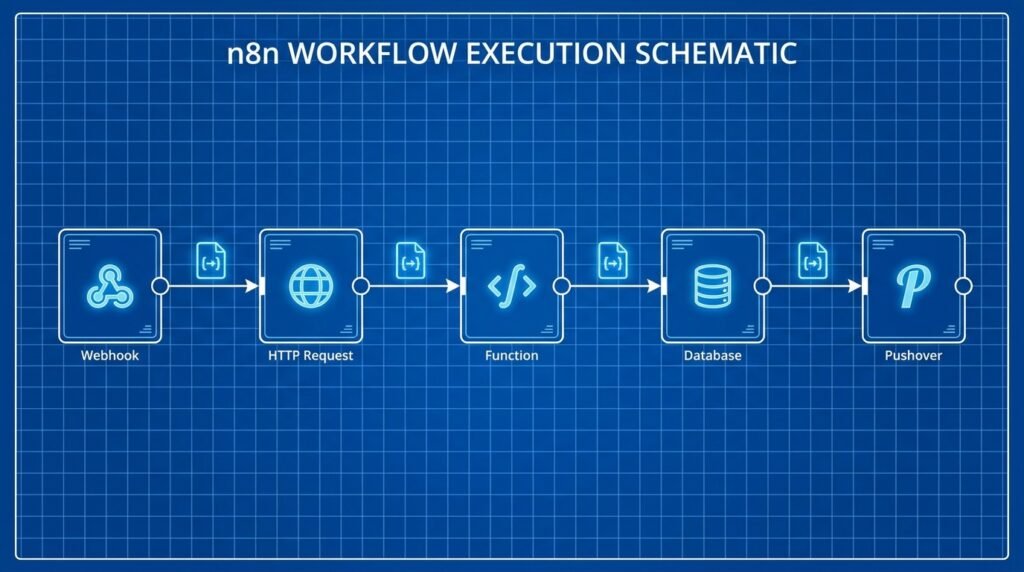
n8n workflow performance optimization for concurrency and memory
When a workflow works well in isolation but struggles during busy periods, look at how executions overlap. High concurrency can raise throughput, but it also multiplies memory use and load on databases and external services. If each execution consumes 300 MB at peak and 20 runs overlap, the process may need several gigabytes before accounting for the n8n runtime and other activity. Measure actual use rather than estimating from a quiet test.
For self-hosted installations, understand how your deployment runs executions and which limits apply. In queue mode, the main instance can place jobs in a queue while workers execute them; this can make capacity easier to scale, but it does not remove limits imposed by Redis, the database, APIs, or available memory. Review the official n8n queue mode documentation before changing the deployment model. Queue mode adds components to operate, so it is most useful when the workload and scaling needs justify them.
Increase concurrency gradually and run tests that include the real mix of workflows. Track completed jobs per minute, queue wait, error rate, memory, CPU, and downstream response times at each step. If throughput rises but error rates or provider latency jump sharply, you have crossed a practical limit. Reduce concurrency or add rate control rather than letting retries amplify pressure. A worker count is not a performance goal by itself; consistent completion at an acceptable failure rate is.
Memory tuning also requires restraint. More available memory can prevent a process from failing, but it will not fix a workflow that retains unnecessary data or a host that is overcommitted. Check container and host limits, process restarts, and whether the configured runtime heap fits within the memory allocated to the container. Node.js provides runtime options for heap behavior, documented in its official command-line documentation. Apply such settings only with a measured reason and leave room for the operating system and other processes.
Batch size and concurrency interact. Larger batches reduce per-item overhead but increase the amount of data held at once. More concurrent runs multiply that footprint. Test combinations using realistic payloads: a moderate batch at higher concurrency may outperform a huge batch at low concurrency, or the reverse may be true for a particular API. Watch peak memory during the busiest test, not just average memory after the queue has drained.
Use backpressure where possible so incoming work does not overwhelm the system. A queue can absorb bursts, but an ever-growing queue is not a solution to sustained overload. If arrival rates consistently exceed completion rates, reduce unnecessary triggers, batch or coalesce duplicate events, or expand capacity after checking downstream limits. For guidance on worker design and deployment considerations, see the site’s n8n queue mode scaling guide.
In short, n8n workflow performance optimization at the runtime level means finding a stable operating point, not maximizing simultaneous executions. Choose concurrency and batch settings that sustain throughput without timeouts, memory pressure, or unmanageable queue growth. Recheck those settings after workflow changes, since a payload or node change can alter the resource profile of every run.
Build resilient workflows and verify every change
A performance fix needs to remain safe when a dependency slows down or inputs change. Design around explicit timeouts, bounded retries, and clear error paths. A retry policy should distinguish transient failures from permanent ones: a temporary network reset may be worth retrying, while an invalid request will usually fail again. Use delays or backoff to avoid hammering a recovering service, and ensure that retries cannot create duplicate side effects.
For operations that create records, send payments, or trigger other consequential actions, use idempotency controls when the destination supports them. A timeout can occur after the remote system has accepted a request but before n8n receives the response. Retrying without a stable key may create duplicates. Store or derive a consistent request identifier, and test the case where the first attempt succeeds remotely but appears to fail locally.
Make workflows easier to observe as well as faster. Add meaningful execution names or structured fields where appropriate, and make errors identifiable by workflow, operation, and relevant record ID without logging secrets. Retain enough execution information to investigate failures, but avoid keeping large payloads indefinitely when they are not needed. The n8n workflow monitoring dashboard guide can help teams organize operational visibility around executions and health signals.
Validate each optimization with a controlled test plan. Run the same input set before and after the change, then test at increasing volumes and concurrency levels. Include normal records, large records, provider delays, rate limits, and expected error cases. Compare throughput, median and tail duration, failure rate, peak memory, and output correctness. If the goal is to reduce n8n execution time, report that alongside the other measures so a speed improvement does not conceal more failures or incomplete results.
Use a staged rollout for changes that affect production volume. First test in a safe environment or with a limited subset, then monitor the production workflow closely after release. Keep the previous workflow version or another practical rollback path available. If the change increases errors, queue wait, or memory, revert and investigate rather than stacking more untested adjustments. Teams that need a dependable release process can apply workflow versioning and rollback practices to reduce deployment risk.
Repeat the baseline after significant changes to traffic, payload shape, node versions, or external services. A workflow that performed well last quarter may be constrained by a new business volume or a provider’s changed response behavior. Set thresholds that prompt investigation, such as a sustained rise in tail duration, queue depth, timeout frequency, or memory usage. A defined signal is more useful than waiting for a user to report that an automation stopped completing.
Good n8n workflow performance optimization combines efficient workflow logic with operational safeguards. Keep a short record of the original symptom, evidence, change, test results, and rollback decision. That record makes future slow workflow troubleshooting faster because the team can distinguish a new regression from a recurring bottleneck and avoid repeating unsuccessful experiments.

Frequently asked questions
Why does an n8n workflow time out only with large inputs?
Large inputs can increase payload size, loop iterations, API calls, and memory use. A workflow may also make repeated searches or hold full responses in memory. Compare a small and large run, noting item count, node duration, response size, and peak memory. Then test batching, early filtering, and smaller outputs while checking that records are not lost.
Does adding more workers always make a workflow faster?
No. More workers can improve throughput when execution capacity is the constraint, but they can overload a database, external API, or memory-limited host. Increase capacity in measured steps and watch queue wait, completion rate, failures, and dependency latency. If a downstream service becomes slower, additional concurrency may make the backlog worse.
How can I start slow workflow troubleshooting?
Use execution details to identify the slowest nodes, then compare those timings across runs with similar input sizes. Separate time spent waiting on external services from computation, queue delay, and data handling. Change one suspected cause at a time and keep a before-and-after record so you can verify the result.
What is the safest way to reduce n8n execution time?
Start with low-risk changes supported by measurements: remove unused fields, filter records earlier, eliminate repeated work, or use a suitable bulk operation. Then test output correctness, failure behavior, and performance with representative traffic. Avoid increasing concurrency or changing memory limits until you know which resource is constrained.
When should I consider queue mode?
Queue mode may be appropriate when execution volume needs to scale across workers and the deployment can support the extra operational components. First confirm that queueing and worker capacity are relevant constraints, then review the official n8n guidance and validate database, Redis, and external service capacity. It is not a substitute for fixing inefficient workflows.
How often should performance be tested?
Run tests after meaningful changes to workflow logic, payload size, traffic volume, infrastructure, or external dependencies. Periodic load tests can also reveal gradual changes before they become outages. Keep test data representative, protect sensitive information, and agree on limits for duration, errors, queue growth, and memory before testing.
Conclusion: make performance measurable
Reliable high-volume automations come from finding the actual constraint, changing it carefully, and checking the result under realistic conditions. Measure execution and queue behavior, reduce unnecessary data and repeated work, tune concurrency with memory and dependency limits in mind, and protect important operations with timeouts and safe retries. Use n8n workflow performance optimization as an ongoing practice—not a one-time setting change—and document what each test proves.
Need help assessing an automation bottleneck or planning a scalable workflow? Talk with Seelaunch about a practical improvement plan.

