

Workflows that run reliably today can become tomorrow’s security incident, compliance finding, or operational bottleneck when they scale. A thorough n8n workflow audit checklist helps teams inspect what exists, how it behaves, who can change it, and what happens when something fails. The goal is not to slow automation down. It is to make sure business-critical workflows remain controlled as data, users, integrations, and execution volume grow.
This guide presents a systematic review across inventory, security, reliability, compliance, and remediation. Use it for a first-time assessment or as a repeatable operating practice. Findings should lead to owners, evidence, and prioritized fixes—not just a spreadsheet of concerns.
Build an n8n workflow audit checklist from a reliable inventory
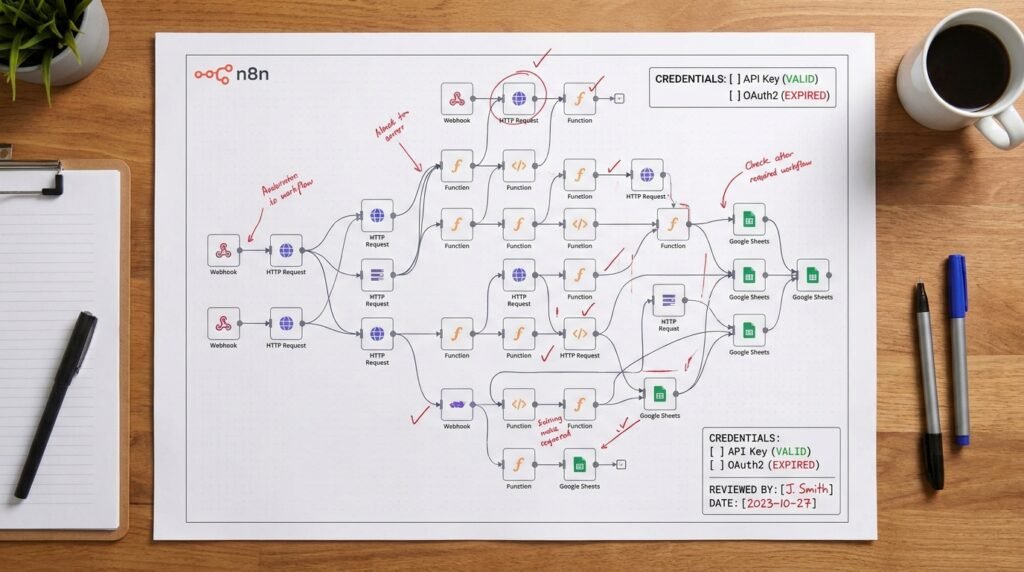
An audit is only as complete as the inventory behind it. Start by identifying every workflow in scope, including inactive drafts, disabled automations, test versions, and flows owned by former employees. A workflow that appears unused may still contain a live webhook, an exposed credential, or logic that someone expects to reactivate. Export or record the inventory from the instance, then compare it with team documentation and known business processes.
For each workflow, record its name, owner, business purpose, environment, activation status, trigger type, connected systems, data categories, and approximate execution frequency. Include the workflow’s last meaningful review date and the team that can approve changes. Treat an ownerless workflow as a governance issue, even if it currently runs without errors. Ownership makes it possible to validate purpose, approve access, and make a safe retirement decision.
Classify workflows by impact rather than by visual complexity. A short flow that sends payment instructions or updates customer records may deserve tighter controls than a large internal notification workflow. Useful impact tiers can consider data sensitivity, financial consequences, customer visibility, legal obligations, and recovery difficulty. Define the tiering rules once, then apply them consistently so reviewers can compare similar automations.
A practical n8n workflow audit checklist should capture how a workflow starts and what it can affect. Trace triggers such as schedules, app events, and webhooks. Follow each branch to its final action, including error routes and sub-workflows. Note whether an execution can create, update, delete, or transmit records. This end-to-end map reveals indirect dependencies that a node-by-node glance can miss.
- List production, staging, and development workflows separately.
- Mark workflows that handle sensitive, regulated, or customer-identifiable data.
- Record owners, approvers, dependencies, and business-critical service expectations.
- Flag duplicate flows, abandoned tests, unclear names, and undocumented sub-workflows.
- Identify triggers that accept outside requests or run without a human initiating them.
Inventory also means understanding the instance around the workflows. Document the n8n version, hosting model, environment separation, access model, backup approach, and the teams responsible for administration. The same workflow may have different risks depending on whether it runs in a tightly controlled self-hosted environment or a shared instance with broad editor access. Keep instance-level observations separate from workflow-level findings so owners know who can act.
For example, an inventory may reveal three flows that update the same customer field, with two owned by no current team. That is not merely a naming problem: it creates uncertainty about which process is authoritative and who can safely change it. Record the overlapping behavior, confirm the business owner, and decide whether to consolidate or document a legitimate distinction. The inventory becomes a working map for the rest of the audit, not a one-time catalog.
Use a consistent record format so the audit can be repeated. A compact register with a unique workflow identifier, tier, owner, systems, data class, review date, and status is often more useful than an elaborate document that nobody maintains. Add links to evidence and findings, but avoid copying secrets or personal data into the audit record. Make the register accessible to reviewers who need it while restricting unnecessary exposure.
Use the n8n workflow audit checklist to test security controls
Security review begins with identity and privilege. Determine who can view, edit, activate, or administer workflows, and whether those permissions match job responsibilities. Review user accounts for stale access, shared logins, external collaborators, and privilege that was granted temporarily but never removed. Where possible, use named accounts and the organization’s identity controls. Separate the ability to build a workflow from the authority to publish changes into production.
Inspect credentials in context. Confirm that each credential has a clear owner, a defined purpose, and only the permissions needed by its integration. Remove unused credentials and investigate credentials embedded in code, expressions, URLs, or workflow notes. Check how credentials are stored and protected in the deployment, including the configuration and availability of the encryption key. Do not export or paste secret values into tickets, chat, or audit evidence. The official n8n security documentation provides deployment guidance that can help administrators validate relevant controls.
Next, examine every path where external input can enter. Webhook triggers should have appropriate authentication or other access controls for the use case, and sensitive endpoints should not rely on an obscure URL as their only protection. Verify request validation, allowed methods, rate limiting at the relevant infrastructure layer, and how malformed or oversized payloads are handled. Review whether webhook responses reveal internal details, customer records, or error traces. For additional control ideas, compare the deployment with these n8n webhook security best practices.
For each workflow, trace data from trigger to destination. Look for personal information, authentication tokens, financial details, health information, or confidential business data moving through logs, execution records, notifications, and third-party APIs. A node that sends an error message to a team channel can accidentally disclose a full payload. Review what is retained in execution data, who can inspect it, and whether sensitive values are masked or excluded where appropriate. Verify behavior against the organization’s retention and incident-response requirements.
A security review should test behavior, not just inspect configuration labels. Use a safe test environment and representative non-production data to check invalid credentials, unauthorized requests, unexpected input, and downstream failures. Confirm that a rejected request does not still produce a side effect in a later branch. Assess whether retries can repeat a sensitive action, such as issuing a refund or sending a customer message. Record the test, expected result, observed result, and evidence without capturing secret material.
The n8n workflow audit checklist should also cover supply-chain and change risks. Identify community nodes, custom code, external packages, and HTTP calls to endpoints that are not on an approved list. Confirm who reviews updates and how the team responds when a dependency or destination changes. A community node may be useful, but it adds code and maintenance considerations that should be understood before it is trusted with sensitive credentials or production data.
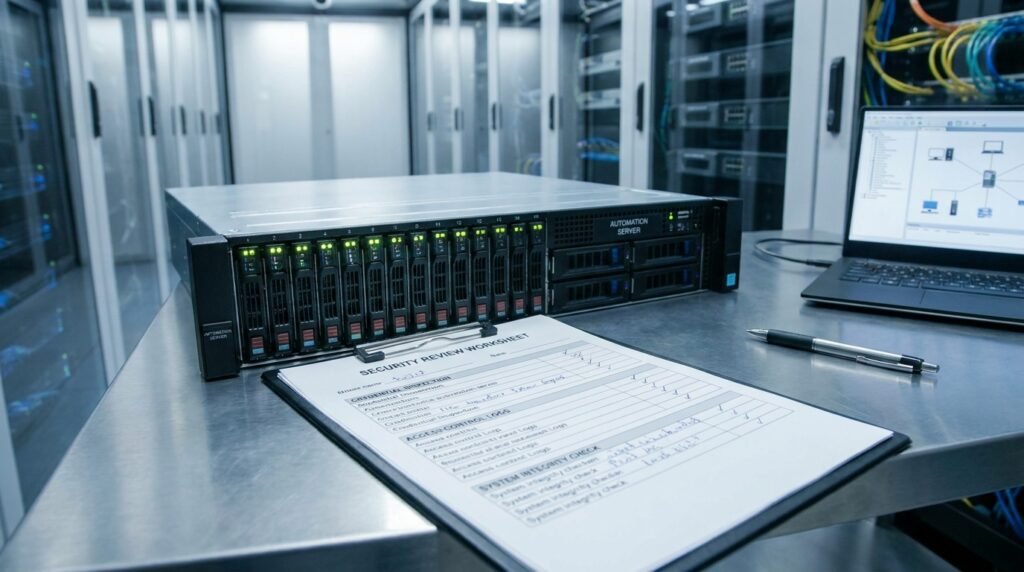
Finally, inspect the deployment boundary. Ask whether the n8n editor, API, and webhooks are exposed as intended; whether administrative access is restricted; and whether network controls limit unnecessary routes to databases and internal services. Match the review to the hosting architecture rather than assuming every deployment uses the same controls. The outcome of this automation compliance review should identify gaps, accountable owners, and compensating controls where a direct fix cannot be made immediately.
Measure reliability, execution efficiency, and failure recovery
Security is only one dimension of risk. An inefficient workflow can exhaust execution capacity, create API costs, delay important operations, or trigger a cascade of retries. Review executions over a representative period, including peaks and known incidents. Compare actual volume and duration with what the workflow is expected to handle. Look at queue delays, timeouts, repeated failures, and unusually large payloads rather than relying on a successful manual run as proof of reliability.
Follow the workflow from trigger through completion and ask what happens at every failure point. Are errors captured and routed to an owner? Does the flow stop safely, or does it continue with incomplete data? If an upstream service is unavailable, does the workflow retry with a sensible limit and delay? Unbounded or tightly repeated retries can worsen an outage by increasing load on a failing service. On the other hand, no retry at all may lose a transient event. The correct behavior depends on the action and the business recovery objective.
Inspect idempotency and duplicate handling wherever a workflow can be retried, replayed, or triggered more than once. An idempotent design makes repeated processing safe or detects that an event has already been completed. For example, a flow that creates a support ticket should check for an existing ticket using a stable source identifier before creating another one. A payment-related flow needs even stronger safeguards and a clearly tested duplicate-prevention strategy. If the destination system offers an idempotency key, verify that the workflow passes and preserves it correctly.
A useful n8n workflow audit checklist evaluates transformations and branching for avoidable work. Look for repeated API calls that could be consolidated, large records carried through every node when only a few fields are needed, unnecessary polling, and branches that process the same event twice. Check pagination and batch handling carefully: a flow that works for a handful of records may become slow or incomplete when volume increases. Be alert to API quotas and the effect of concurrency on external services.
For a concrete example, imagine a scheduled workflow that retrieves every customer record hourly, filters locally, then updates only a few changed records. At low volume, this might appear acceptable. As the record count grows, the flow consumes more runtime and may hit a provider’s request limits. A safer design could use incremental retrieval, a change event, or a narrower query if the connected system supports it. Measure before redesigning; premature optimization can introduce complexity without reducing meaningful risk.
Inspect resource use and execution-data policy together. Large binary files, verbose payloads, and extensive execution histories can increase storage needs and make incident investigation harder. Establish appropriate retention and pruning practices, and confirm that they do not erase evidence required for troubleshooting or compliance. Review the effect of failure settings and timeout values. A long timeout may occupy a worker without improving the chance of success, while an excessively short timeout can interrupt legitimate processing.
Test recovery paths, not only the happy path. Simulate a downstream timeout, an invalid response, a partial batch failure, and a restart after an interruption in a non-production environment. Confirm whether the flow can resume without losing events or repeating irreversible actions. Document any manual recovery steps and the person or role responsible for them. If an operator needs to edit raw execution data or run an undocumented command to restore service, that is a process risk worth addressing.
Testing should become repeatable. Create representative test cases for ordinary input, boundary values, malformed payloads, and relevant service failures. n8n’s own testing capabilities and workflow design can be complemented by a written plan; these n8n workflow testing strategies offer a useful starting point for structuring coverage. For deeper troubleshooting, use the evidence from failed executions alongside practical n8n workflow debugging techniques, rather than repeatedly rerunning production actions without a controlled hypothesis.
Record a baseline for important workflows: expected throughput, acceptable completion time, failure rate, and recovery target. These are operational measures, not vanity metrics. A workflow may complete successfully most of the time yet still be unacceptable if the failures affect high-impact transactions or remain unnoticed for hours. Use the baseline to distinguish genuine improvement from changes that simply shift work or errors to another system.
Run an automation compliance review with traceable evidence
Compliance review should begin by connecting workflows to applicable obligations and internal policies. The right controls depend on industry, jurisdiction, data type, contractual terms, and the organization’s own risk decisions. Do not assume that using a particular platform makes a workflow compliant by default. Map each in-scope flow to the policies that govern access, privacy, retention, security, records, and change approval, then identify who is qualified to interpret those requirements.
For data protection, document the purpose and categories of data processed, the systems that receive it, and any onward transfers. Check whether a workflow uses more information than the business purpose requires. Verify that data destinations are approved and that the transfer is expected by the relevant system owner. If a flow sends data to a service outside the organization, determine whether the applicable contract, processing terms, and regional requirements have been reviewed by the responsible teams. Escalate uncertainty instead of making a legal conclusion from a technical audit.
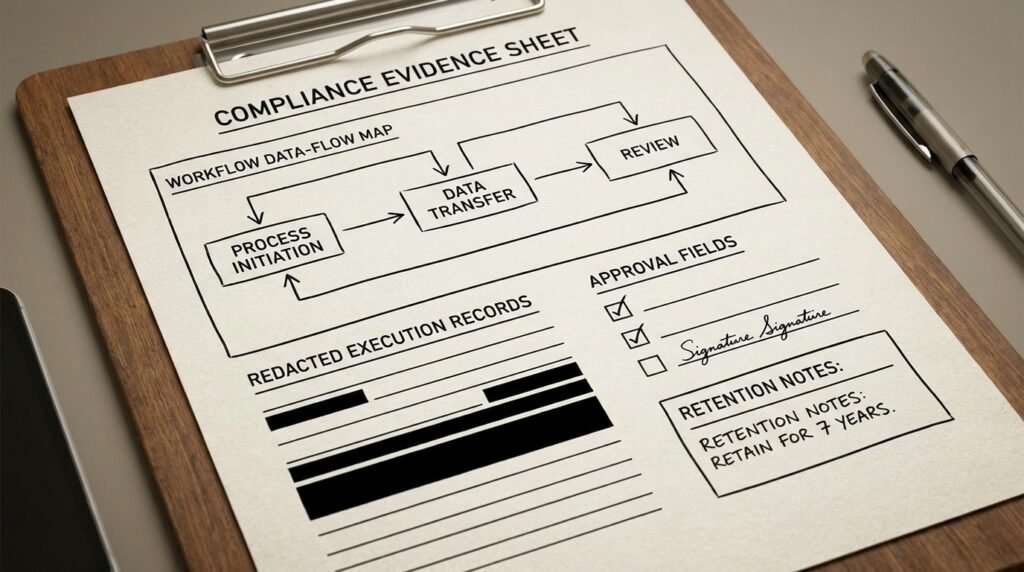
Retention deserves specific attention. Determine how long records are kept in source systems, destination systems, execution history, logs, and backups. A workflow may delete a record from one application while leaving identifying information in its execution history or alert messages. Check whether deletion requests and retention schedules apply across the full data path. Where full deletion is not technically possible, document the limitation, access restrictions, and approved retention rationale.
Evidence makes the review defensible and useful. For each control, capture the question asked, the test performed, the outcome, the reviewer, the date, and a reference to non-sensitive evidence. Evidence might include a permission review, a redacted configuration snapshot, a test result, an approved data-flow diagram, or a change record. Avoid treating a screenshot as sufficient when it does not demonstrate the behavior or access being claimed. Keep evidence in an approved location with controlled access and a defined retention period.
A strong workflow governance framework assigns decisions to clear roles. Workflow owners validate business purpose and expected behavior. Platform administrators own instance-level configuration and access controls. Security and privacy reviewers advise on relevant risks. Business approvers accept residual risk within their authority. Define who may approve activation, credential changes, production releases, and exceptions. A single person may hold multiple roles in a small team, but the responsibilities should still be explicit.
Build change control into ordinary delivery rather than relying on memory. Record what changed, why, who reviewed it, what was tested, and how to roll it back. Use separate environments or other safeguards that match the organization’s deployment setup. Ensure emergency changes are reviewed afterward and that production modifications do not silently bypass the normal process. Version history can support recovery, but it does not replace approval, testing, or a clear release record.
Include third parties and subcontracted services in the data-flow review. A workflow’s integration may send information through an intermediary, and the relevant risk may sit outside the visible node sequence. Confirm that the service is approved for the data and purpose, identify the team responsible for the relationship, and review changes to endpoints or permissions. Revisit vendor or integration assumptions when a service is replaced, a credential is broadened, or the workflow begins processing a new data category.
The automation compliance review should distinguish a confirmed control failure from an unresolved question. Classify findings with enough detail for decision-makers: requirement or policy reference, observed condition, likely impact, scope, and recommended action. Ask a privacy, legal, or compliance specialist to assess questions that require interpretation. For technical findings, include the exact workflow and execution path so an owner can reproduce the issue. This makes follow-up more precise and prevents broad claims unsupported by evidence.
Finally, establish a review cadence based on risk and change. A high-impact workflow should be reviewed after material changes and on a schedule appropriate to the organization’s obligations. Lower-risk flows may be reviewed less frequently, but ownership and access still need periodic confirmation. A workflow governance framework works when it is proportional, documented, and integrated into normal operations—not when it creates a separate approval ceremony that teams avoid.
Prioritize findings and make the n8n workflow audit checklist repeatable
An audit creates value when findings lead to decisions. Rank issues by the severity of possible harm, likelihood, exposure, and ease of detection. Consider whether the workflow processes sensitive data, has external entry points, can make irreversible changes, or supports a critical business service. A small configuration weakness may deserve urgent attention if it exposes a high-impact action. A cosmetic documentation gap may be lower priority, unless missing documentation prevents safe recovery or ownership.
Use a simple finding record: description, affected workflow, evidence, risk rationale, severity, recommended control, owner, target date, and status. Separate the observed fact from the interpretation. For instance, “three editor accounts have not logged in recently” is an observation; “unauthorized access is likely” is a conclusion that needs more evidence. This distinction helps teams respond proportionately and prevents inflated risk ratings from undermining confidence in the audit.
Prioritize immediate containment for active exposure, such as a public endpoint without required access controls or a credential with excessive permissions and no clear owner. Containment may mean disabling a trigger, restricting network access, rotating a credential, or pausing a workflow after confirming the business impact. Do not disable an important automation reflexively. Coordinate with its owner, assess downstream dependencies, and arrange a safe fallback when needed.
For less urgent findings, create a remediation plan that balances risk reduction with operational stability. Fix root causes instead of patching symptoms. If several workflows share an over-privileged credential, address the credential lifecycle and access model, not just one node. If many owners cannot identify production from test flows, improve environment conventions and release procedures. A durable fix may take longer, so use an interim control with an expiration or review date and a named approver.
A workflow governance framework should make the checklist part of the workflow lifecycle. Review new automations before production activation, reassess material changes, and schedule periodic checks for existing high-impact flows. Define which changes trigger re-review: new data categories, new external destinations, broader credentials, new webhook access, significant volume increases, or a change in business purpose. The point is to make review predictable, not to require a complete audit for every harmless label edit.
Use versioning, testing, and rollback practices to reduce the risk of applying a fix. Preserve a known-good version before significant changes, test with representative inputs, and verify that downstream systems behave as expected. Prepare a rollback route for changes that alter data mappings, branching, or API behavior. If the workflow is business-critical, rehearse recovery and confirm the people responsible can access the necessary configuration and documentation. A backup is valuable only when it can be restored and validated.
Communicate findings in terms each audience can use. Engineers need a reproducible path, expected behavior, and proposed technical control. Business owners need the service impact, decision required, and timing. Executives need material exposure, accountability, and trends. Avoid sending secrets or raw personal data in audit summaries. Report progress through a small set of measures such as owner assignment, overdue high-risk items, repeated findings, and review coverage for critical workflows.
Close findings only when evidence shows the control works. A ticket marked complete is not proof that the risk is resolved. Retest the relevant behavior, confirm the change reached the intended environment, and update documentation and ownership records. If the recommended fix is declined, record the rationale, approver, compensating controls, and next review date. That creates a conscious risk decision instead of an accidental exception that survives unnoticed.
Repeatability also depends on calibration. After each audit cycle, identify where reviewers disagreed, where evidence was hard to obtain, and which checks generated low-value noise. Update guidance and examples, but preserve a record of meaningful changes to the method. Invite workflow owners to report new dependencies or business changes between scheduled reviews. A living n8n workflow audit checklist becomes more accurate as teams learn from incidents, releases, and changing requirements.
For larger estates, group related workflows by process or data domain and review shared components together. A credential, sub-workflow, or integration pattern reused across dozens of automations creates concentrated risk. Test the shared control and then sample individual flows to confirm they use it correctly. This approach can reduce duplicate effort, but sampling should not replace direct review of workflows with distinct high-impact behavior or unique compliance obligations.
Keep the process proportionate to the environment. Small teams can begin with a register, a concise set of review questions, and monthly ownership follow-up. Larger organizations may need formal risk tiers, evidence retention, release gates, and reporting. In either case, the same principles apply: know what runs, understand what it can affect, verify the controls, and assign follow-up. The checklist is an operational tool, not a substitute for expert judgment or accountable decisions.
For further reading, see Google Search Central.
Frequently asked questions
How often should a team audit n8n workflows?
Set frequency according to impact, data sensitivity, change rate, and applicable obligations. Review high-impact workflows after material changes and on a defined recurring schedule. Recheck lower-risk flows less often, while still confirming ownership and access periodically. A new external destination, broader credential, or change in business purpose should trigger a focused review regardless of the calendar.
What should an n8n workflow audit checklist include first?
Begin with inventory, ownership, purpose, trigger, data handled, connected systems, and impact tier. Then inspect access, credentials, external entry points, data retention, error behavior, and change history. A useful n8n workflow audit checklist links every finding to evidence and an owner, so teams can verify and resolve it rather than simply record a concern.
Does an audit require disabling production workflows?
Usually, no. Inventory and configuration reviews can often happen without interruption. Behavioral testing should use a safe test environment and non-production data whenever possible. If containment is necessary to address active exposure, coordinate with the workflow owner and plan a fallback for important processes before pausing or changing production behavior.
How does an automation compliance review differ from a security audit?
A security audit focuses on protection against threats and misuse, including identity, permissions, credentials, and system exposure. An automation compliance review also checks whether data handling, records, retention, approvals, and evidence align with applicable obligations and internal policies. The reviews overlap, but compliance interpretation may require privacy, legal, or specialist input.
What evidence should teams retain?
Keep records of the workflow’s owner and scope, relevant configuration checks, test results, approvals, findings, remediation, and retests. Use redacted or non-sensitive evidence, store it in an approved location, and define who can access it and how long it is retained. Do not copy secret values or unnecessary personal information into audit records.
Can a checklist guarantee that workflows are compliant?
No checklist guarantees compliance or eliminates risk. It provides a consistent way to identify gaps, collect evidence, and assign decisions. The organization must determine which requirements apply, use qualified reviewers when interpretation is needed, and verify that controls work in its actual deployment. Update the checklist as systems, obligations, and business purposes change.
Conclusion: turn workflow reviews into routine controls
n8n workflows can become critical infrastructure faster than teams expect. A repeatable n8n workflow audit checklist helps reveal the risks that are easiest to miss: unknown ownership, over-broad credentials, exposed entry points, fragile retries, unclear retention, and changes without evidence. Start with an accurate inventory, test the controls that matter, prioritize findings by impact, and verify remediation before closing issues.
Make the review part of normal workflow ownership, not a response reserved for incidents. Assign clear responsibility, revisit high-impact flows when they change, and retain evidence in a controlled way. If you need help building a practical audit and automation control program, talk with Seelaunch about strengthening your automation operations.

