
Choosing how an automation starts affects its speed, reliability, cost, and maintenance. This guide to n8n workflow trigger types explains the native trigger mechanisms, how app-specific triggers fit in, and when to use polling, webhooks, schedules, or internal events.
There is no single best trigger for every workflow. A webhook can respond quickly to an incoming event, while polling may be the only option an integration offers. The right choice depends on the source system, how quickly you need to act, and what happens when an event is missed.
1. n8n Workflow Trigger Types: Understand the Main Families
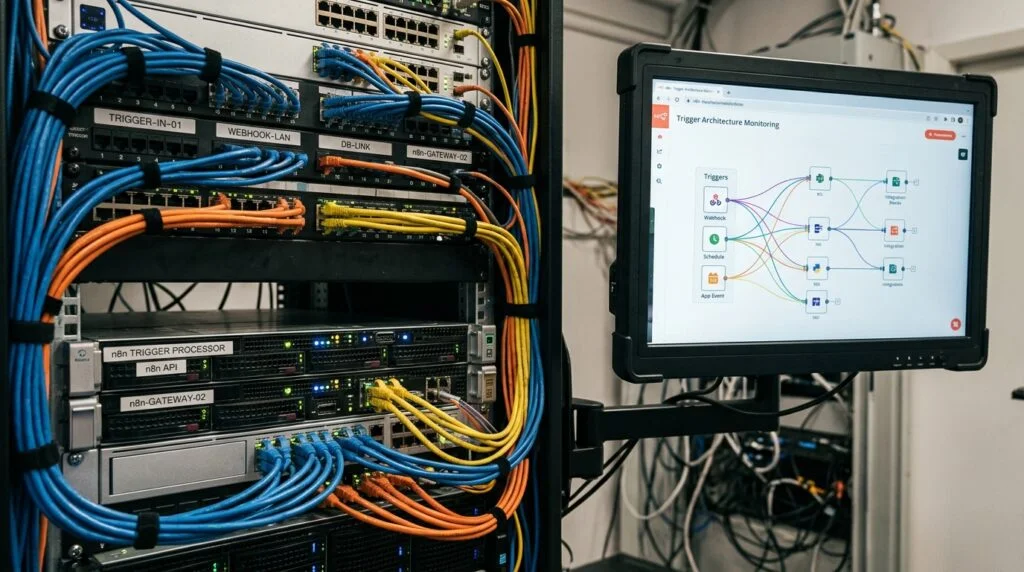
In n8n, a trigger is a node that starts a workflow when a defined event or condition occurs. Some triggers listen for an external request. Others check a service on a schedule, respond to an internal n8n event, or wait for a person to start a run. The n8n workflow trigger types are best understood as families of mechanisms, rather than one short list of nodes.
The first family is manual execution. The Manual Trigger node starts a workflow when you run it yourself, making it useful for development, tests, and one-off tasks. It does not independently monitor a service or run on a production schedule. A manually started workflow can still process data and call other nodes, but it only starts when a user initiates it.
The second family is time-based execution. The Schedule Trigger starts a workflow at configured intervals or calendar times. It is suitable for regular reports, batch processing, and checking systems that do not send events. Its timing depends on the workflow’s time zone and activation state, so check both settings when a run appears early, late, or not at all.
The third family is external event intake. The Webhook node exposes a URL that another service can call. Form Trigger provides a form-led entry point, while Chat Trigger starts a workflow from an incoming chat interaction. Email Trigger (IMAP) can monitor an inbox, and MQTT Trigger can listen for messages on a broker. Availability and configuration can vary by n8n version and deployment.
The fourth family is app-specific triggers. Integration nodes can start a workflow when a supported service event occurs, such as a new record or changed object. Depending on the integration, the node may receive pushed events through a webhook or periodically check for new data. Check the node’s operation and setup instructions rather than assuming every app trigger works the same way.
Finally, n8n supports internal and environment-specific starts. Error Trigger starts an error-handling workflow after another workflow fails, while Execute Sub-workflow Trigger lets a workflow receive input from a calling workflow. Local File Trigger can watch for file changes in supported self-hosted environments; access restrictions and deployment setup matter. These triggers solve different problems, so they should not be treated as interchangeable business-event listeners.
When comparing n8n workflow trigger types, first ask what event starts the work, who can send that event, and whether the workflow must run without human involvement. Then confirm the trigger’s deployment requirements and the behavior you need if the source is temporarily unavailable.
2. Schedule Triggers and Polling: When Recurring Checks Fit
Polling means checking a source system repeatedly for new or changed data. In n8n, a Schedule Trigger can initiate those checks at a chosen cadence, and many app-specific polling triggers include their own interval settings. Polling is often the practical choice when a service has no webhook support, when you need a recurring reconciliation, or when the work is naturally batch-oriented.
Consider a workflow that looks for new invoices in a service without event notifications. A check every few minutes may be adequate: the workflow asks for records created since its last successful run, filters out anything already handled, and processes the rest. For a daily report, running once each morning may be more efficient than checking continuously. Match the interval to business urgency, not to the shortest interval the interface allows.
Polling has a straightforward trade-off: shorter intervals can reduce the wait for new data, but they cause more requests and executions. That can increase load, consume service quotas, and create repeated empty runs. Longer intervals reduce that overhead but delay processing. If a source limits requests, use a sensible cadence, filter narrowly, and review the provider’s rate limits before activating the workflow.
Design polling workflows for overlap and repetition. A run may take longer than the interval, the source may return the same record again, or an API response may fail partway through. Use a stable identifier, such as an invoice ID, to prevent duplicate side effects. Where possible, track a last-seen timestamp or cursor and allow a small overlap window so records near a timing boundary are not skipped. Confirm that the source’s sorting and pagination behavior supports this approach.
This is the practical heart of n8n polling vs webhook: polling offers control over check frequency and can work with systems that cannot push events, but freshness is bounded by the interval and request capacity. A polling trigger is often appropriate for scheduled synchronization, periodic audits, data imports, and low-urgency updates. It is less attractive when every minute of delay matters or the provider imposes strict limits.
To configure a schedule reliably, set the intended time zone, verify the workflow is active, and test at least one run using realistic data. For a detailed explanation of timing behavior and node settings, consult the official n8n Schedule Trigger documentation.
Make the check recoverable, too. Store enough context to know what the last successful run processed, alert on repeated failures, and decide how to handle a backlog. For larger designs that combine scheduled checks with other start conditions, n8n workflow orchestration patterns can help clarify responsibilities between workflows.

3. Webhooks and Instant Events: When Push Is the Better Fit
A webhook lets an external service send an HTTP request to n8n when an event occurs. Instead of asking the source for updates on a timer, the workflow receives an event shortly after the source creates it. The Webhook node is n8n’s general-purpose entry point for incoming HTTP requests, and app-specific webhook triggers can provide a more guided setup for supported services.
Webhooks suit event-driven work such as reacting to a new order, receiving a form submission, starting a process after a payment update, or handling an application notification. They can reduce the delay and repeated requests associated with polling. The source must, however, support sending events, reach the configured n8n endpoint, and be correctly set up to authenticate or verify requests.
Webhook configuration is more than copying a URL. n8n distinguishes between a test URL used while building a workflow and a production URL used by an active workflow. The source service must call the correct endpoint. Configure the expected HTTP method and response behavior, then verify that the request body and headers arrive as intended. The n8n Webhook node documentation covers its available settings.
Plan for delivery behavior rather than assuming every event arrives exactly once. A sender may retry after a timeout, send duplicate notifications, or deliver events out of order. Build idempotency into consequential actions: record event IDs or source-object IDs and check whether an event has already been processed before creating a payment, ticket, or customer record. If order matters, use timestamps or sequence data from the source and define how to handle late arrivals.
Security is essential because a webhook endpoint accepts incoming network traffic. Use the node’s authentication options where appropriate, validate the sender or signature when the source supports it, and avoid exposing sensitive data in URLs or logs. Restrict access at the network layer when practical, keep credentials private, and return only the response the sender needs. For a deeper checklist, see n8n webhook security best practices.
The n8n polling vs webhook choice is not always either-or. Webhooks can handle the fast path while a scheduled workflow reconciles source records periodically. That fallback can catch missed notifications, but make reconciliation safe against duplicates. For payment events, for example, let a webhook update the order quickly and run a less frequent check against the provider’s records to surface discrepancies.
Webhook delivery also depends on deployment. Your instance needs a reachable, correctly configured public endpoint for external services, and reverse proxies or firewalls must pass requests through properly. For platform-specific setup considerations, consult Stripe’s official webhook documentation alongside your own provider’s guidance. If you self-host, test connectivity from outside your network before relying on production events.
4. Specialized Native Triggers for People, Files, and Workflows
Not every automation starts with a conventional app notification. n8n includes triggers for human input, messaging, files, and workflow-to-workflow coordination. These specialized mechanisms are part of a complete n8n trigger node comparison because they change who or what can initiate work and what operational requirements apply.
Form Trigger starts a workflow from a form interaction. It can support intake processes such as a request, application, or internal submission without requiring the submitter to interact with the n8n editor. Think through validation, required fields, and how the confirmation is delivered. Treat submitted values as untrusted input, especially if they will be used in queries or forwarded to other systems.
Chat Trigger starts a workflow from chat input in supported n8n chat configurations. It is useful for conversational assistants and requests that need a response, but it is not a substitute for a general inbound webhook if the source is an unrelated service. Design the workflow around the user’s wait time: long-running tasks may need an acknowledgement first, followed by a later status update through the supported chat channel.
Email Trigger (IMAP) watches a mailbox using IMAP settings. This can bridge older systems or shared inbox processes that lack an API event trigger. Mail arrives with variable formatting, attachments, forwarded content, and possible spam, so parse cautiously and avoid treating email content as trusted instructions. Use stable message identifiers where possible to prevent repeated processing after reconnects.
MQTT Trigger listens for messages from an MQTT broker, making it relevant to connected devices and systems that publish lightweight messages. Topic selection and broker access define what the workflow can receive. Plan for bursts, retained messages, reconnects, and payload validation. The workflow should be able to handle an unexpected message without turning a malformed device report into a failed chain of downstream actions.
Local File Trigger can start work when files change in supported environments. It may be useful for on-premises imports, but it depends on filesystem access and deployment configuration. Containerized deployments need the relevant directory mounted and visible to the n8n process. File watchers also require care with partially written files: a file may appear before the producing application has finished writing it.
Two internal triggers have distinct roles. Error Trigger is intended for an error workflow configured to handle failures from other workflows; it is not the normal first node for a business process. Use it to capture diagnostic context, route alerts, or create an incident record. Execute Sub-workflow Trigger receives input when another workflow calls the workflow as a sub-workflow, which supports reusable components and clearer boundaries.
When you compare the n8n workflow trigger types, confirm whether the specialized node is available in your deployment and whether it requires a broker, mailbox, filesystem access, or a configured parent workflow. Some mechanisms are environment-sensitive, especially when self-hosting. A useful n8n trigger node comparison records the event source, delivery method, access needs, and recovery plan—not just the node name.
5. Choose an Architecture That Matches the Scenario
Selecting among n8n workflow trigger types starts with five questions: Does the source push events? How quickly must the workflow respond? Is the event volume predictable? What happens if a request is repeated or delayed? Can your n8n deployment receive the event reliably? Answers to these questions expose the real trade-offs more clearly than comparing node labels alone.
- Choose a webhook when a provider can send dependable events and low latency matters, such as order updates or form submissions.
- Choose polling when the provider offers no event delivery, when a controlled reconciliation is needed, or when occasional delay is acceptable.
- Choose a schedule for recurring batch work, reports, and time-based tasks that should run regardless of an external event.
- Choose a specialized trigger when the source is a mailbox, chat interaction, MQTT broker, local file environment, or calling workflow.
- Choose manual execution for operator-led tasks, development, and controlled backfills.
For a customer-support workflow, a webhook may react quickly to a new ticket, while a daily scheduled check can find records that did not trigger correctly. For a nightly inventory sync, polling or a scheduled API query may be simpler than maintaining an event endpoint. For device telemetry, MQTT may be the natural input, with downstream batching to avoid running costly actions for every low-value message.
Measure the actual result after launch. Track execution frequency, processing delay, failed runs, duplicate events, and time spent recovering. A design that is fast but frequently fails may be worse than a slightly slower schedule. If throughput becomes a concern, review queue and worker configuration as well as trigger cadence; the n8n self-hosting guide can help frame deployment and scaling decisions.
Before activation, test the full path: source event, trigger receipt, downstream processing, and the response or side effect. Include a duplicate, an invalid payload, and a temporary service failure in your tests. Confirm that someone can tell whether an event was received and whether its work completed. The n8n workflow testing strategies resource offers a broader approach to testing failure cases.
Keep the trigger layer narrow. A workflow should validate the incoming event, normalize the fields it needs, and hand off work with clear data contracts. Avoid putting every business rule into a webhook response path if it makes the sender wait too long. For lengthy processing, acknowledge receipt appropriately and use status tracking or a separate workflow to complete the task.
The best n8n polling vs webhook design can include both mechanisms, but each should have a defined job. Use push for timely handling and a slower reconciliation process for completeness, or use scheduled checks alone when freshness is not critical. Document ownership, credentials, retry behavior, and alert routing. This turns the n8n workflow trigger types decision into an operational design rather than a one-time node selection.
Frequently Asked Questions
What are the main n8n workflow trigger types?
The main families are manual, schedule-based, webhook and app-event, specialized input, and internal workflow or error triggers. Individual integrations add their own trigger nodes, and their delivery methods can vary.
Is polling or a webhook better in n8n?
Neither is universally better. Use a webhook for timely pushed events when the source supports it; use polling when it does not, when controlled checks are needed, or when the delay is acceptable.
Can one workflow use more than one trigger?
Some workflow designs can have multiple trigger paths, but each path should be tested and documented. When triggers have different schedules or operational needs, separate workflows may be easier to monitor and maintain.
Why is my webhook trigger not starting?
Check that the workflow is active, the sender is using the production URL, and the endpoint is reachable through your proxy and firewall. Then inspect the request method, authentication, and n8n execution history.
What is the difference between Manual Trigger and Schedule Trigger?
Manual Trigger waits for a person to start a run. Schedule Trigger starts automatically at configured times or intervals, provided the workflow is active and its time zone and schedule are correct.
Does every app trigger use a webhook?
No. Some app triggers receive pushed events, while others poll the provider for changes. Read the specific node’s documentation and setup instructions to confirm its mechanism and requirements.
Conclusion: Build the Right Trigger Architecture
Understanding n8n workflow trigger types helps you balance responsiveness, service limits, deployment needs, and recovery. Use webhooks when reliable push delivery is available and speed matters; use polling or schedules for controlled checks and batch work; choose specialized triggers when the input calls for them.
Test duplicates and failures, document how each workflow starts, and monitor the behavior after activation. When you need help designing or implementing dependable automations, talk with Seelaunch LLC about your automation goals.

