
As workflows move from individual experiments into business-critical operations, teams need more than a working automation. They need a reliable way to share context, review changes, manage access, and decide who responds when something breaks. Thoughtful n8n workflow collaboration makes those responsibilities visible without turning every update into a meeting.
This guide walks through practical patterns for team workflow automation: defining ownership, designing clear handoffs, applying role-based access, and building a release process that works across a multi-user environment. The goal is to help your team improve reliability while keeping workflows understandable and maintainable.
Design n8n workflow collaboration around ownership
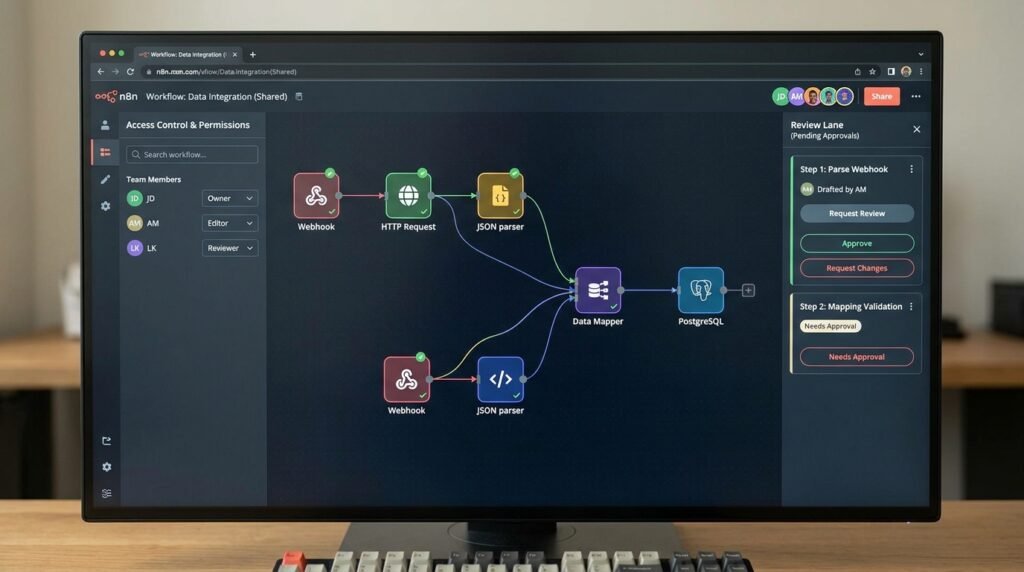
Start by deciding what ownership means for each automation. A workflow can have a technical maintainer, a business owner, and an operational responder; those roles do not have to belong to the same person. The technical maintainer understands nodes, credentials, and deployment. The business owner confirms that the workflow still supports the intended process. The responder investigates failures and coordinates recovery.
Record these responsibilities where teammates will find them. A short description at the top of the workflow can name its purpose, business owner, technical owner, support channel, and expected response path. Avoid putting secrets or sensitive personal information in descriptions. Use stable team names or role labels where possible, so a vacation or staff change does not make the documentation obsolete.
Next, give every workflow a defined boundary. State what event starts it, what data it expects, what it changes, and what it deliberately does not do. For example, an order-notification workflow might accept a validated order event, enrich it with customer-service details, and send a message to an internal queue. It should not silently change the order status unless that action is explicitly part of its scope.
Boundaries help teams decide whether a request belongs in an existing automation or a separate one. They also make reviews more concrete: a reviewer can compare the change with the workflow’s documented purpose instead of trying to infer intent from a long node chain. For complex logic, describe the main route and important exceptions in plain language.
Separate ownership from personal authorship. A workflow should not be treated as one employee’s private asset simply because that person first created it. Shared ownership means that another qualified teammate can inspect the logic, understand dependencies, and take over during an absence. Use shared team spaces and documented access practices when your n8n edition and configuration support them.
Finally, define a lightweight owner-of-record rule. Every active workflow should have one accountable role, even if several people contribute. For low-risk automations, that might be a team lead. For customer-facing or financial processes, name a business approver and a technical maintainer separately. This structure makes n8n workflow collaboration accountable without creating a bottleneck around a single person.
Make n8n workflow collaboration handoffs explicit
A handoff is a transfer of context and responsibility, not just a notification that someone changed a workflow. Effective workflow handoff management answers four questions: what changed, why it changed, what needs attention next, and who owns the next action. If any answer is missing, the recipient has to reconstruct the situation from execution history, chat messages, or memory.
Use a consistent handoff note for workflow changes. Keep it brief enough that people will complete it, but specific enough to support review. A useful note includes the change summary, the affected process, the expected behavior, the test performed, unresolved risks, and the person responsible for the next step. Link to an internal ticket or runbook if the team already uses one.
- Change: identify the nodes or behavior that changed.
- Reason: connect the update to a requirement, incident, or improvement.
- Validation: note the test input and expected result.
- Next owner: state who reviews, approves, deploys, or monitors it.
- Fallback: explain how to pause, revert, or route around a failure.
Design handoffs into the workflow itself when a process crosses teams. For example, a support automation can create a case for a specialist team, include the relevant customer and event details, and set a clear status that shows whether the case is awaiting review. Avoid passing only a record identifier if the receiving team cannot access the source system or determine what to do with it.
Keep the automation’s operational signals just as explicit. Name error outputs so the next owner can distinguish a temporary service failure from invalid input or a permission problem. Route failures to a monitored destination with enough execution context to diagnose them, while excluding credentials and unnecessary sensitive data. If the workflow retries, document the retry limit and what happens after it is reached.
For a visual map of how to make routes easier to understand, see our guide to n8n workflow visualization techniques. Clear branch labels and readable flow structure help a receiving teammate locate the handoff point without reading every node. Keep the map aligned with the actual workflow; outdated documentation can be more misleading than no map at all.
Agree on what counts as a completed handoff. It may mean a reviewer has accepted the change, a process owner has confirmed the outcome, or an on-call responder has taken responsibility for an incident. Define that completion signal in the ticket, change record, or team procedure. This small convention makes n8n workflow collaboration measurable and reduces the chance that important work is assumed to belong to someone else.
Set role-based access and protect shared credentials
Multi-user workflow design depends on giving each person enough access to do their job—and no more than they need. Map tasks to access before inviting collaborators: who can view workflows, edit them, manage credentials, change project settings, publish updates, and administer the instance? The exact controls available depend on your n8n plan, version, and deployment configuration, so verify them in your environment rather than assuming every installation has identical permissions.
Prefer role-based grants over informal sharing of a powerful account. Separate routine editing from administrative tasks, and limit access to production credentials to people who need them. When a teammate changes teams or leaves, remove or adjust their access promptly. A periodic access review can catch stale permissions that accumulate as projects grow.
Consult the official n8n role-based access control documentation for the controls supported by your setup. Treat documentation as a starting point, then test the permissions with representative accounts. Confirm what an editor can change, whether a user can access credentials, and what happens when a workflow is shared or transferred.
Credentials deserve their own ownership plan. Store them in n8n’s credential mechanism rather than embedding tokens, passwords, or private keys directly in node parameters. Name each credential so its purpose and environment are clear, such as a service name plus a development or production label. Do not reuse a production credential in a test workflow just because it is convenient.
Shared credentials can be practical when several workflows use the same service account, but they also create a wider impact if access is misused or the secret must be rotated. Limit who can view or use them, follow the service’s least-privilege options, and record who owns rotation. The NIST definition of least privilege is a useful principle: grant only the access required for assigned tasks.
Establish an environment boundary as well. Development and test workflows should use test credentials and representative data wherever feasible. Production workflows should use approved credentials and a documented release path. If a test requires real data, minimize the data exposed and follow your organization’s privacy and retention rules.
For n8n workflow collaboration, access control is not a one-time setup. Revisit roles after a project changes ownership, a workflow gains a sensitive action, or an incident reveals an unexpected permission path. Keep a simple record of who approved elevated access and why. These habits support team workflow automation while reducing accidental edits, credential exposure, and production changes by someone who only meant to inspect a workflow.
Build a review and release path for shared changes
When multiple people can edit automation, teams need a predictable route from idea to production. Without one, a well-intended fix can overwrite another person’s work, bypass a business check, or change live behavior before anyone has tested it. A useful release path is simple enough for routine updates but adds stronger review when a change carries greater risk.
Begin with a change request that describes the desired outcome rather than prescribing nodes prematurely. Include the business reason, the expected input and output, relevant edge cases, and the impact if the workflow fails. The person building the change can then choose an implementation while the reviewer checks that the result matches the need.
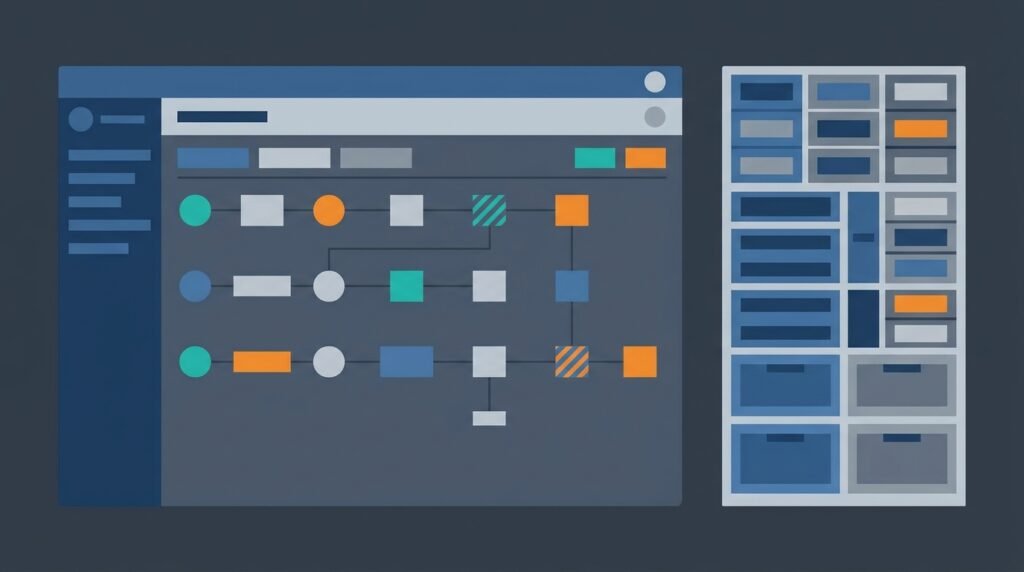
Use a four-step pattern:
- Draft: make the change in the agreed development space, not directly in a live workflow when avoidable.
- Test: use known examples, boundary cases, and failure cases; record the expected and actual result.
- Review: have another qualified person inspect the logic, credentials, data handling, and operational path.
- Release: follow the team’s approved promotion method, then verify the live workflow and monitor its first executions.
Not every change needs the same degree of ceremony. A typo in an internal notification may need one reviewer. A workflow that updates customer records, issues refunds, or sends external communications may require business approval, a staged test, and a rollback plan. Define risk tiers so contributors know when additional approval is required rather than deciding under deadline pressure.
Make testing reproducible. Keep a small set of safe sample inputs that cover normal behavior, missing fields, invalid values, duplicate events, and service errors. Compare outcomes against explicit expectations. Where possible, verify that retries do not create duplicate side effects and that a partial failure leaves the process in a recoverable state.
Record what was released and how to recover. A release note can identify the workflow, changed behavior, approver, validation evidence, and rollback or pause procedure. If your deployment process supports version history or exporting workflows, use it consistently and protect exports that could reveal sensitive configuration. Avoid treating a screenshot as the only record of a change.
Consider approval nodes or an external approval step for actions that need a human decision before continuing. Our overview of n8n workflow approval system designs explores ways to place a deliberate gate in a process. An approval gate is not a substitute for code review or access control; it addresses a different question: whether a particular business action should proceed.
Reviewing changes together is central to n8n workflow collaboration, but the process should match the risk. A small, documented path is more likely to be followed than a heavyweight policy that teams routinely bypass. For team workflow automation, write down the minimum required checks, make exceptions visible, and periodically examine whether review is catching real issues or merely adding delay.
Keep workflows understandable as the team grows
A workflow that one person can operate from memory is not yet ready for dependable shared ownership. As contributors increase, the design should make intent apparent in the canvas, names, descriptions, and operational documentation. Readability is not decoration: it determines how quickly someone can assess a proposed change or respond to an unexpected execution.
Use node names that describe the action and its purpose. A label such as “Check order eligibility” tells a reviewer more than “Code,” “HTTP Request 2,” or “If.” Group related stages into a clear sequence, and label branches with outcomes that reflect business meaning. Keep expressions and transformations focused; if a step performs several unrelated operations, split it or document why it is intentionally combined.
For data-heavy flows, make field assumptions explicit. Note whether a missing value is expected, whether a timestamp is in a particular time zone, and whether a field has been normalized. Teams can use n8n workflow data transformation methods to structure and normalize data in ways that are easier to review. The key collaboration benefit is predictability: a teammate should be able to tell what shape of data each stage expects.
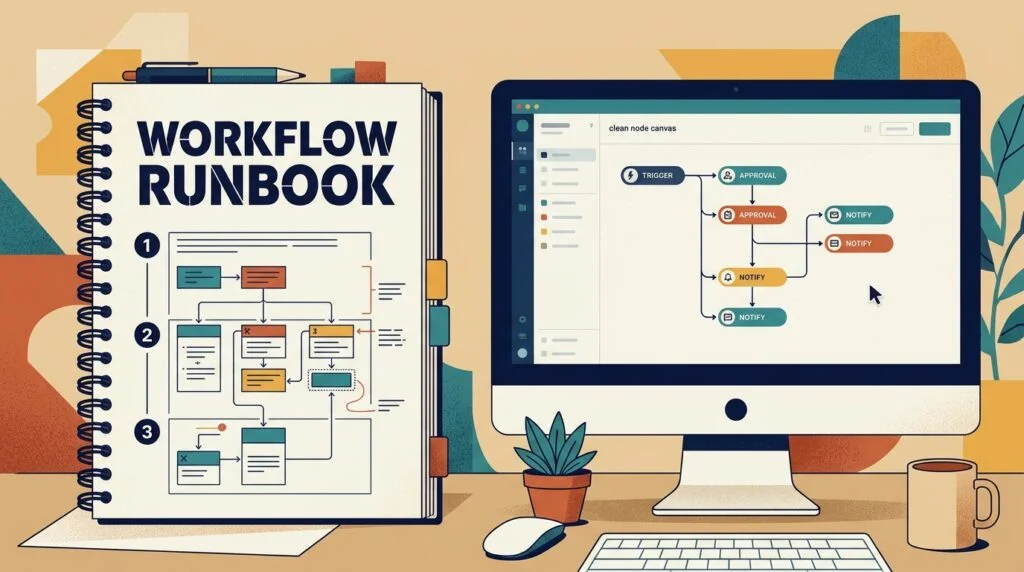
Keep a compact runbook for workflows with meaningful operational impact. Include the trigger, connected systems, owner, normal schedule or event source, key failure modes, alert destination, and recovery steps. State what responders should not do, too—for example, whether manually rerunning a failed execution could send a duplicate customer message or create a second transaction.
Choose a consistent naming convention that helps users scan a project. A practical pattern might combine the business area, action, and environment where relevant. Avoid names so long that they are hard to read in lists. Use tags or folders only if your team applies them consistently; an elaborate taxonomy that nobody maintains becomes another source of confusion.
Set expectations for change communication. A contributor should tell affected owners when a workflow’s trigger, output, permissions, or failure behavior changes. That does not require a meeting for every edit. A ticket, shared change log, or project discussion can provide a durable record, as long as the team knows where to look and who is expected to acknowledge high-impact changes.
Finally, schedule lightweight maintenance. Periodically check for inactive workflows, unowned automations, obsolete credentials, stale runbooks, and repeated failures. If teams use executions as a troubleshooting resource, make sure they understand the retention and data-access implications of their deployment. Consistent maintenance keeps n8n workflow collaboration from becoming a growing pile of inherited complexity.
Good team workflow automation makes the ordinary case easy and the unusual case understandable. That means a new teammate can find the owner, follow the process, and make a safe change without relying on private knowledge. Build these practices incrementally: first name owners, then clarify handoffs, then refine access and release controls based on actual risk.
Frequently asked questions
Can several people work on the same n8n workflow?
Teams can share responsibility for workflows, but the exact collaboration and permission features vary by n8n edition, version, and deployment. Confirm available controls in your own instance. Regardless of features, agree on who edits, reviews, approves, and monitors each workflow to avoid conflicting changes.
How should a team assign workflow ownership?
Name an accountable owner for each active workflow and distinguish business ownership from technical maintenance when needed. The business owner confirms the process is still appropriate; the technical maintainer looks after implementation and reliability. Include a support contact or responder for incidents.
What is the safest way to share credentials?
Use the platform’s credential management rather than placing secrets in workflow fields or notes. Limit access to people and workflows that need it, separate test and production credentials, and define who is responsible for rotation. Verify the specific credential-sharing behavior supported by your n8n configuration.
How can teams prevent two editors from creating conflicting changes?
Set a clear edit-and-review convention, record changes in a shared ticket or change log, and use a development and release path where practical. For high-impact workflows, coordinate edits before they happen and require an independent review. Test the final version after changes are combined.
What should a workflow handoff include?
Include what changed, why it changed, the tests performed, unresolved risks, the next responsible person, and a recovery or fallback path. For an operational incident, add enough execution context to diagnose the issue without exposing credentials or unnecessary sensitive data.
How does n8n workflow collaboration improve reliability?
It makes ownership, decisions, and next actions visible instead of leaving them in one person’s memory. Clear handoffs and proportionate access reduce missed work and accidental changes, while testing and review help teams find problems before a release affects users.
Conclusion: make collaboration part of the workflow
Reliable shared automation comes from deliberate ownership, useful handoff notes, role-based access, and a release path that reflects the risk of each change. Start with one workflow that matters: name its owners, document the next-action path, review who can access its credentials, and test how a teammate would respond to a failure.
Then improve the pattern as your team learns. Strong n8n workflow collaboration is not a single setting; it is a repeatable way to build and operate automation together. If you want help designing a safer automation program, talk with Seelaunch about your workflow goals.

