

The n8n code node javascript workflow is most useful when a transformation needs more control than a short expression can offer. You can normalize inconsistent records, apply business rules, and shape clean output for the next node—all without turning a simple workflow into a tangle of one-off fixes.
This guide explains how the Code node handles items, shows reusable JavaScript patterns, and covers the boundary between code and expressions. You’ll also get practical data transformation expressions tips for making workflows easier to test and maintain.
What the n8n code node javascript runtime actually receives
Before writing code, understand the unit n8n passes between nodes: an item. An item is commonly an object with a json property containing the record’s data. A spreadsheet row, a webhook payload, or a database result may each arrive as one item. A node can receive one item or an array of them, so inspect the incoming structure instead of assuming every execution has the same shape.
The Code node offers two execution modes. In Run Once for All Items, your code runs once and can retrieve the incoming collection with $input.all(). In Run Once for Each Item, it runs separately for each item, and you can work with the current record through $json. Select the mode deliberately: code written for a collection will not behave like code written for a single record.
For a collection-level transformation, a minimal pattern looks like this:
const items = $input.all();

return items.map((item) => ({
  json: {
    ...item.json,
    processed: true,
  },
}));
This creates a new output item for each input item and retains existing fields through the spread operator. Copying the source object is usually safer than rebuilding it from scratch: downstream nodes may rely on fields you did not know were important. If you intentionally want a smaller schema, list the allowed fields explicitly and document that choice.
In each-item mode, focus on transforming the current item and return the output shape expected by that mode. The [official Code node documentation](https://docs.n8n.io/code/code-node/) explains available variables, modes, and supported behavior. Check it when you work with a feature that may vary by n8n version or deployment.
Think of n8n code node javascript as a transformation step with a contract: define what shape it accepts, what shape it returns, and what happens when input is incomplete. That contract matters more than clever syntax. For example, if an API sometimes omits phone, decide whether the output should contain an empty string, null, or no phone field at all. Consistency makes the next node easier to configure.
Finally, distinguish JavaScript from n8n expressions. A Code node is suitable for multi-step logic over one or more items. An expression is often enough to populate one field in a standard node. Choosing the smaller tool keeps workflows readable and reduces the amount of custom behavior you need to maintain.

A practical n8n code node javascript pattern library
A reliable transformation usually starts with small, named steps rather than one dense expression. A practical n8n code node javascript pattern is to read the source value, normalize it, validate it, then construct the output. This order makes it easier to see whether a bug comes from unexpected input, a conversion rule, or the final object shape.
Consider incoming contact records where email addresses may have leading spaces or inconsistent capitalization. In all-items mode, you can normalize them while retaining the rest of each record:
const items = $input.all();

return items.map((item) => {
  const source = item.json;
  const email = String(source.email ?? "").trim().toLowerCase();

  return {
    json: {
      ...source,
      email: email || null,
      hasEmail: Boolean(email),
    },
  };
});
The nullish coalescing operator handles null and undefined without treating valid values such as zero as missing. Converting the value to a string before trimming also protects against a number or other unexpected type. Whether that conversion is appropriate depends on your data contract; if a non-string email indicates a bad record, validate and flag it instead of silently converting it.
For reusable cleanup, define a small helper near the top of the Code node:
function cleanText(value) {
  return typeof value === "string" ? value.trim() : "";
}

const items = $input.all();
return items.map(({ json }) => ({
  json: {
    ...json,
    firstName: cleanText(json.firstName),
    lastName: cleanText(json.lastName),
  },
}));
A helper is useful when the rule has a clear name and appears more than once. Avoid building a private utility library inside a single node, though. A few focused helpers make intent visible; a long collection of generic functions can make the actual transformation harder to find.
When records may be invalid, choose an explicit policy. You can stop the execution, retain the item with a validation status, or route invalid items to a separate branch. For example, returning valid: false alongside the source fields lets an IF node separate the records without losing context. Do not quietly discard records unless dropping them is an agreed business rule.
Arrays need deliberate handling too. Use map when every input item should produce one output item, filter when the transformation is meant to remove records, and reduce when you truly need a summary such as a total. These operations express different workflow behavior. A filter can change item counts and affect downstream matching, so record why it is being used.
For more approaches to reshaping records across a workflow, see [n8n Workflow Data Transformation: 5 Proven Methods](https://blog.seelaunchllc.com/n8n-workflow-data-transformation/). Keep node-level code focused on the transformation it owns, and let the workflow make routing and recovery decisions where those decisions are easier to see.
Use expressions for field-level work and code for multi-step logic
Expressions and JavaScript solve related but different problems. An expression is a value-producing snippet placed in a node field, such as a URL, a message body, or a destination property. Code is better when you must inspect many records, apply several related rules, or create a consistent output structure. These data transformation expressions tips begin with a simple question: is the work local to one field, or does it describe a transformation with its own logic?
A field expression can reference the current item with $json. For example, a destination field could combine two values with an expression such as {{ $json.firstName + " " + $json.lastName }}. This is easy to understand when the field needs one straightforward value. If the same cleanup must happen in several places, repeating increasingly complex expressions is a sign to centralize the rule.
Keep expressions short enough to scan in the node where they are used. A nested conditional that handles missing values, string conversion, date parsing, and fallback text may technically fit in one field, but it becomes hard to review. Moving the logic into a Code node—or a dedicated standard node—gives the operation a visible step and makes testing easier.
Expressions can also reference data from other nodes. That is convenient when the workflow intentionally uses a known result, but it creates a dependency: renaming or changing an upstream node may affect the expression. Use clear node names and avoid reaching across the workflow for values that should have traveled with the current item.
Item linking deserves special attention when combining data. n8n uses item relationships to help determine which upstream item corresponds to a downstream result. A one-to-one mapping that carries each item forward is straightforward. When code creates, combines, or rearranges items, preserve the relevant relationship where required and verify downstream expressions against the actual output. Otherwise, a later node may resolve data from an unexpected source item.
A useful decision rule is to place a transformation in the smallest clear unit:
- Use a field expression for a single value derived from the current item.
- Use a standard node when it already performs the operation clearly, such as editing fields or filtering records.
- Use the Code node for multi-step rules, collection-wide operations, or shaping that standard nodes cannot express cleanly.
The [n8n expressions documentation](https://docs.n8n.io/code/expressions/) describes expression syntax and available context. JavaScript language details are covered by [MDN’s Array map reference](https://developer.mozilla.org/en-US/docs/Web/JavaScript/Reference/Global_Objects/Array/map), which is useful when mapping records into a new shape. Apply data transformation expressions tips as a readability tool, not a reason to force every operation into an expression.
Document important assumptions close to the logic. If an expression assumes a date is ISO-formatted, or code assumes a field contains an array, make that expectation visible. Clear assumptions help teammates distinguish intentional behavior from an accidental dependency on one sample payload.
Handle missing values, errors, and item relationships safely
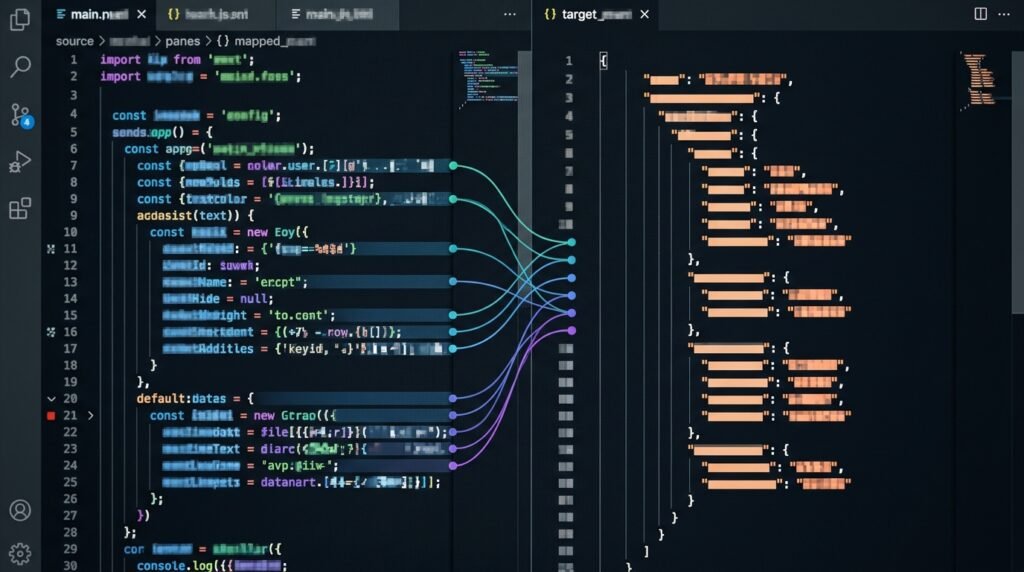
Production inputs are rarely as tidy as test examples. An upstream service may omit a field, return null, change a value’s type, or send an empty array. A robust n8n code node javascript transformation defines what each case means before building the output. Start by inspecting representative successful and unsuccessful payloads, then encode the expected behavior rather than relying on a happy-path sample.
Use checks that match the data type. For optional text, a type check and trim may be appropriate. For a numeric amount, distinguish a missing value from zero; a truthiness check would treat both as false. For an array, use Array.isArray(value) before calling array methods. These small checks prevent vague runtime errors such as trying to call map on an undefined value.
For example, a safe array normalization can establish a predictable output:
const source = $json;
const rawTags = source.tags;
const tags = Array.isArray(rawTags)
  ? rawTags.filter((tag) => typeof tag === "string").map((tag) => tag.trim())
  : [];

return {
  json: {
    ...source,
    tags,
    tagsWereProvided: Array.isArray(rawTags),
  },
};
This example makes an explicit choice: malformed or absent tags become an empty array, while a separate flag records whether the source supplied an array. That distinction can matter. If an empty array means “remove all tags” but a missing field means “leave tags unchanged,” collapsing the two cases could create an unintended update.
Errors need an equally deliberate policy. Throwing an error can stop the workflow and make a data-quality failure visible. Returning a validation field can allow the workflow to route the item to a review branch. Which option is right depends on the consequences of continuing. A payment or access-control transformation may need a hard failure; a nonessential enrichment step may be allowed to continue with a warning.
Do not catch every error and replace it with an empty object. That pattern hides the original failure and can make bad data look successful. If you catch an error, include enough context to diagnose it, such as the operation and a stable record identifier. Avoid placing secrets or sensitive personal data in error messages or logs.
When a Code node processes all items together, decide whether one invalid record should fail the batch or be marked individually. Batch failure is simple and prevents partial output, but it may repeatedly block valid records. Per-record status supports selective recovery, but it requires a downstream route and a clear process for handling rejected items. data transformation expressions tips also apply here: keep the policy visible instead of burying it inside a conditional expression.
Finally, be careful when creating output items from scratch. Preserve fields required later, and consider item linking when the node changes the number or order of items. If an output is derived from a particular input, retain that relationship according to n8n’s supported item-linking behavior. Test the next node, not just the Code node, to confirm that linked data resolves as intended.
Test and maintain transformations as workflow contracts
Code that works for one execution is not necessarily reliable code. Treat each n8n code node javascript transformation as a contract between upstream and downstream steps. Write down the expected input shape, output shape, and behavior for edge cases. That contract can be a short comment, a node description, or a maintained workflow note; the goal is to make assumptions discoverable before someone changes the source data.
Build a small test matrix from real variations in the input. Include a normal record, a missing optional field, a null value, an empty array, an unexpected type, and a record with meaningful zero or false values. Check both the resulting JSON and the number of output items. For collection operations, verify that filtering, grouping, or aggregation produces the intended item count.
Test with representative payloads in n8n’s editor before connecting the workflow to a live destination. Inspect the full output rather than relying only on the execution status. Confirm that field names, data types, null behavior, and item relationships match what the next node expects. A successful run can still write the wrong value if the transformation silently changes a number to text or drops a required identifier.
Keep transformations deterministic when possible: the same input should produce the same output. Avoid making a mapping depend on the current time, random values, or hidden external state unless the workflow needs that behavior. When time is part of the rule, make the timezone and format explicit. This makes reruns easier to reason about and reduces differences between test and production executions.
Performance is usually less about clever syntax and more about avoiding unnecessary work. Do not repeatedly search the full item collection inside a loop if you can build a lookup map once. Avoid copying large nested objects multiple times when only a few fields need changes. Still, prioritize clarity: optimizing a handful of records with opaque code is rarely worthwhile, while a high-volume workflow may benefit from measuring execution time and memory use.
Make changes incrementally. If a transformation has several responsibilities—validation, normalization, enrichment, and aggregation—consider separating them into clear nodes or helper functions. The trade-off is more workflow steps versus a larger code block. Separate nodes improve visibility and make failures easier to pinpoint; a single Code node can be appropriate when the operations form one cohesive transformation and the resulting logic remains easy to review.
Version and review workflow changes as carefully as application code. Test a changed field against saved example data, inspect downstream nodes, and confirm that error paths still behave correctly. When a team shares responsibility for workflow maintenance, clear ownership and handoffs matter; [n8n Workflow Collaboration: 5 Proven Team Handoffs] offers practices for keeping those changes understandable.
Good data transformation expressions tips include preferring named intermediate values, making fallback behavior explicit, and using expressions only while they remain readable. Above all, validate assumptions at the boundary where data enters your transformation. That habit catches upstream changes early and prevents confusing errors from surfacing much later in the workflow.
For further reading, see Google Search Central.
FAQ
When should I use the Code node instead of an expression?
Use an expression when you need one value in a node field and the logic stays easy to read. Choose the Code node when the task involves multiple steps, several related fields, collection-wide processing, or custom validation. The n8n code node javascript approach is most helpful when the transformation has a clear input-and-output contract that would be awkward to repeat across expressions.
What is the difference between Run Once for All Items and Run Once for Each Item?
Run Once for All Items executes the code once for the incoming collection, which is useful for mapping, filtering, or aggregating across records. Run Once for Each Item executes separately for each incoming item, which suits independent per-record transformations. Choose the mode before writing your code, then use the input access pattern and return shape appropriate to that mode.
How should I handle a missing field?
Decide what a missing value means in the downstream process. You might preserve it as absent, set it to null, provide a default, or mark the record for review. Avoid using a truthiness check when zero, false, or an empty string may be valid values. Test missing, null, and valid-but-empty cases separately.
How can I avoid losing data when transforming an item?
Start with a copy of the existing JSON object when you want to retain its fields, then override or add only the fields you intend to change. If you deliberately select a smaller output schema, document that decision and verify that downstream nodes have all required identifiers. Also test item linking when your code changes item order or count.
Can I use JavaScript libraries in the Code node?
Available modules depend on your n8n environment and configuration, so do not assume a package can be imported just because it is available in a local project. Check the current n8n documentation and your instance’s settings before relying on a library. For simple transformations, built-in JavaScript methods are often easier to deploy and maintain.
What is the quickest way to debug a Code node?
Run it with a representative input, inspect the complete output, and compare the result with the expected shape and item count. Add temporary, non-sensitive diagnostic fields or use a deliberate validation failure to identify the problematic assumption. Remove debug-only behavior before production, and test the downstream node to verify that the transformed data is usable.
Conclusion: make every transformation predictable
The n8n code node javascript works best when its mode, input contract, and output shape are explicit. Use expressions for simple field values, reserve code for cohesive multi-step logic, and handle missing data without hiding failures. Test realistic edge cases and confirm that downstream nodes receive the fields and item relationships they expect.
Apply these data transformation expressions tips to make your workflows easier to review, troubleshoot, and extend. If you want expert help designing or automating a workflow, [talk with Seelaunch](https://seelaunchllc.com) about building a dependable solution for your team.

