
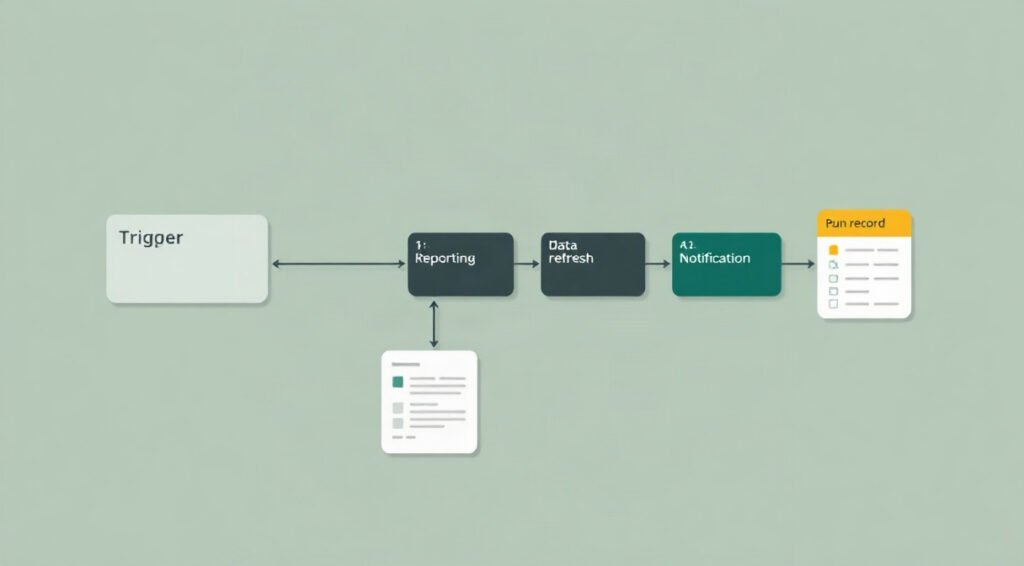
Scheduled workflows can quietly handle the work that keeps a business running: compiling maintenance reports, refreshing data, and sending periodic operational updates. With n8n workflow scheduling, you can define when a workflow starts and connect that timing to dependable checks, processing, and notifications. The goal is not simply to make a workflow run on a clock; it is to make each run safe, useful, and visible.
This guide explains how to plan schedules, configure triggers, handle missed runs, and operate recurring processes without routine manual intervention. It also provides four practical scheduling plans you can adapt to reporting, data synchronization, maintenance, and business administration.
Build a dependable n8n workflow scheduling foundation
Before choosing a time or interval, define the business outcome. A maintenance report might need to include every completed job through the previous day. A data refresh might need to finish before employees arrive. A monthly reconciliation may need a complete calendar period, not merely the last 30 days. These distinctions determine the schedule, the query window, and what a successful run means.
A strong n8n workflow scheduling design starts with four decisions:
- Cadence: How often is the result genuinely needed: hourly, daily, weekly, monthly, or on a specific business calendar?
- Time zone: Which local or coordinated time should the schedule follow, including daylight-saving changes?
- Window: What data should each run process, and how will it identify the previous successful boundary?
- Owner: Who receives an alert and takes action if the automated process fails?
Then choose a schedule that respects upstream systems. A nightly report should not run before the source system finishes its own exports. A synchronization job should avoid overlapping with a database backup if both compete for resources. Ask system owners about data availability, API limits, maintenance windows, and expected completion times. A schedule that looks convenient in a calendar can still be unreliable if its dependencies are not ready.
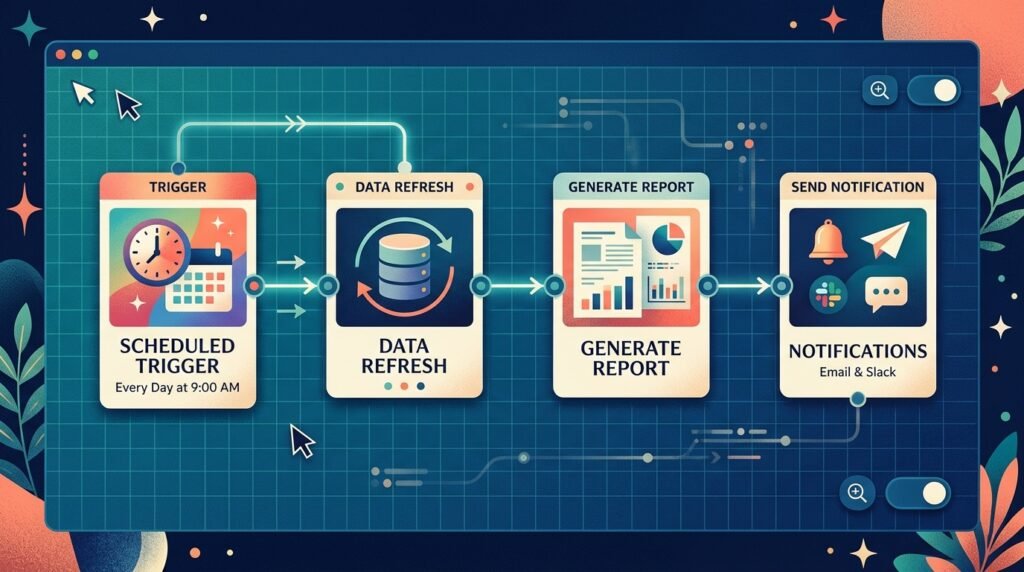
In n8n, the Schedule Trigger starts a workflow according to configured intervals or calendar-based rules. Consult the official n8n Schedule Trigger documentation for the available options and configuration details. A trigger only determines when execution begins; it does not establish that the workflow has fresh inputs, correct permissions, or a safe recovery process.
Keep the trigger and the business logic conceptually separate. After the trigger, validate the intended processing window, retrieve data, transform it, and deliver the result. That makes it easier to test the same logic with a manual run or another trigger. If you are comparing possible starting points for a process, the guide to n8n workflow trigger types explains how scheduled starts fit alongside other trigger architectures.
Finally, document what the schedule is meant to do in plain language. State the expected frequency, time zone, input range, output destination, and failure contact. This small operating note helps another person distinguish an intentional quiet period from a broken workflow. It also makes schedule changes safer when business hours or reporting requirements shift.
Choose the right cadence and timed trigger setup
Cadence should follow the process, not the maximum frequency a tool allows. Running a workflow every minute does not improve a report that changes once a day. It can increase API usage, create duplicate notifications, and make failures harder to diagnose. Choose the slowest interval that still meets the operational need, then add a reasonable completion window before downstream users depend on the result.
A deliberate timed trigger setup begins by translating the requirement into an explicit rule. “Every morning” is incomplete: it could mean 06:00 in the business’s local time, 06:00 UTC, or the first working day after a holiday. “On the last day of the month” also needs a defined behavior for months with different lengths. Resolve these ambiguities with the process owner before building the trigger.
Consider time zones carefully. A workflow scheduled in a fixed UTC offset will not automatically follow local daylight-saving changes. A named time zone can better express a business requirement, but you should still confirm how the scheduler interprets it and test the transition dates. The IANA Time Zone Database documents the rules used by systems to represent regional time changes. Record the intended zone in the workflow’s operating documentation.
For business-day processes, a simple weekday schedule may not cover public holidays, regional closures, or one-off shutdowns. There are two common approaches. You can maintain a business calendar and check it after the trigger, or schedule a daily run and let the workflow decide whether the day qualifies. The calendar check is more explicit and easier to audit; the daily approach is simpler but may create harmless no-op executions.
Use recurring task automation when the work is predictably repeated, but avoid using a schedule as a substitute for an event. For example, checking once per hour for a file that must be processed immediately introduces avoidable delay. An event-driven trigger may be a better fit if the source can reliably notify n8n. A schedule remains useful as a reconciliation run that catches events that were missed.
Test the trigger with the actual workflow time zone and representative dates. Confirm the next expected run, what happens across a month boundary, and whether a daylight-saving transition changes the intended local time. Do not assume that a successful manual execution proves the trigger itself is configured correctly. A separate test plan should verify the timing rule, the workflow’s active state, and the receiving system’s availability.
Where a run takes longer than its interval, consider whether a second execution could start before the first finishes. If overlap would cause conflicting writes or duplicate messages, add an execution guard, process a bounded window, or choose a longer cadence. The best n8n workflow scheduling rule is one that matches both the business rhythm and the duration of the work.
Design four schedules for reports, refreshes, and operations
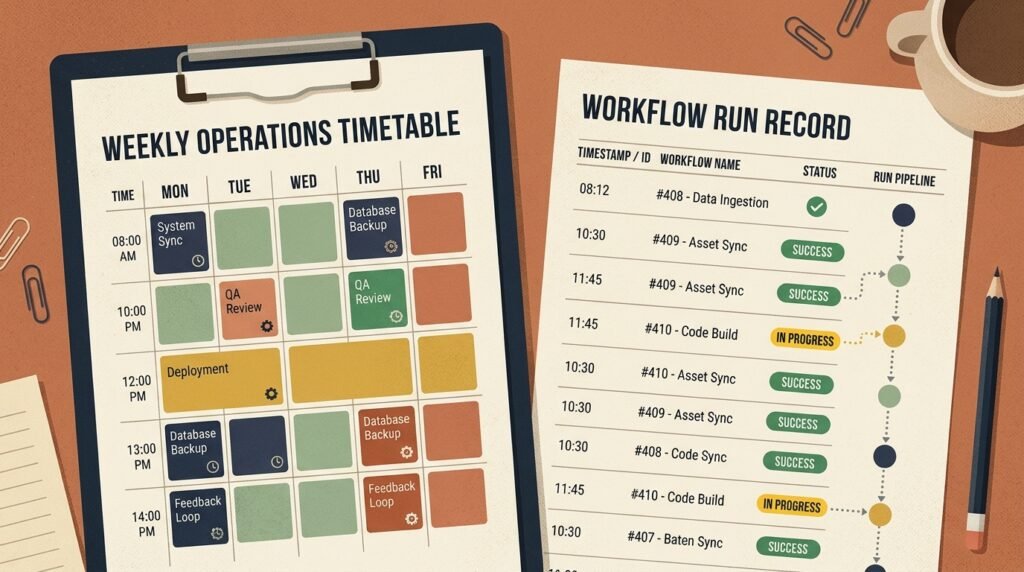
These four plans provide starting points rather than universal prescriptions. Adjust each cadence to the freshness requirement, source-system limits, and consequences of a late result. In every case, the schedule should start a process whose input range and completion conditions are clearly defined.
1. Daily maintenance report
Run after technicians have finished entering the prior day’s work. Query records using a clear start and end boundary, such as the previous local calendar day converted into the source system’s expected format. Validate that the report contains the required fields and a plausible number of jobs. Deliver it to the agreed destination, then record the covered date range so recipients can distinguish a late report from a duplicate.
2. Overnight data refresh
Schedule the refresh after upstream imports are expected to finish, leaving a buffer for delays. Check that the source has published its latest batch before replacing or updating downstream data. If a refresh is incomplete, do not publish a partial dataset as if it were current. Log the source batch identifier and completion time; those values help explain freshness when users question a dashboard the next morning.
3. Weekly exception digest
Run on a chosen weekday after the week’s data is stable. Instead of emailing every record, filter for exceptions that require attention and group them by owner or category. Include a reporting period and a link or reference to the detailed source. If no exceptions exist, send either a brief all-clear or no message, according to an explicit stakeholder preference.
4. Monthly operational close
Use a calendar-aware rule or a daily schedule with a month-end condition. Set a cutoff that accounts for late-arriving records and define whether the run can be repeated after corrections. Keep the period identifier with the output, and make any finalization step distinct from a preliminary report. This avoids treating a rerun as a new month or silently overwriting a signed-off result.
Each plan benefits from a small set of shared controls. Give the workflow a clear name that describes both the process and cadence. Validate required credentials before enabling it. Confirm that the destination is correct, particularly when copying a workflow between test and production environments. Use bounded queries and pagination for large datasets, and avoid sending sensitive information to a channel that is broader than the intended audience.
Make the output useful to its recipient. A maintenance report should explain the period covered and surface exceptions, not merely attach an unexplained data dump. A refresh should provide a completion signal only after the new data is usable. This is where recurring task automation becomes an operational service rather than a timer connected to a chain of nodes.
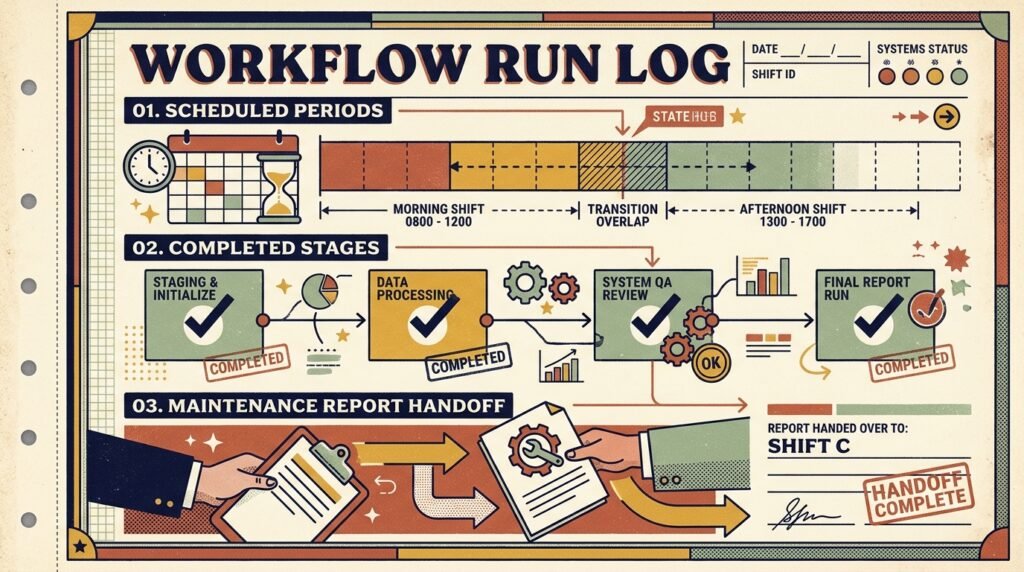
For more complex processes, map the stages and their handoffs before adding nodes. A visual plan can show where validation ends, where data changes, and where a person may need to intervene. The article on n8n workflow visualization techniques offers practical ways to make those paths easier to inspect and maintain.
Keep the initial design small. Start with the required schedule, one input path, the essential validation, the intended output, and failure notification. Add optional summaries or extra destinations only when they serve a clear need. Simplicity makes it easier to determine whether a scheduled workflow is doing the right work at the right time.
Make recurring runs safe, repeatable, and recoverable
A scheduled workflow may run more than once for the same business period. An operator may restart a failed execution, a source may send duplicate records, or a long run may overlap the next scheduled start. Design as though repetition is possible. Before a workflow writes data or sends a message, decide what should happen if it processes the same input window again.
One useful pattern is idempotent processing: repeating an operation with the same input does not create unwanted duplicate effects. For a data refresh, this may mean upserting records by a stable key rather than inserting another copy. For a report, it may mean storing the reporting period and replacing a draft output rather than emailing a second indistinguishable attachment. Not every action can be made idempotent, but its duplicate behavior should be intentional.
Define a processing window with a reliable checkpoint. A fixed “last 24 hours” window can miss records when runs are delayed or clocks differ. A stored high-water mark, such as the last successfully processed timestamp or source batch ID, can make recovery more precise. Include a small overlap when data can arrive late, then deduplicate using stable identifiers. Advance the checkpoint only after the downstream action succeeds.
For n8n workflow scheduling, the recovery path deserves as much attention as the happy path. Decide which errors can be retried automatically, how many attempts are reasonable, and what happens after the final failure. Retrying a temporary network timeout may help; repeatedly retrying invalid credentials will not. Use bounded retries with pauses where appropriate, and notify an owner when the workflow needs a decision or a credential update.
Separate transient and permanent failures when the workflow can identify them. A temporary service outage may justify a later retry, while malformed source data may require correction before processing can continue. Record enough context to troubleshoot, including the execution time, intended period, source batch, and failed stage. Protect credentials and personal data: useful logging should not become an uncontrolled copy of sensitive payloads.
Guard against overlapping runs when simultaneous executions could conflict. Depending on the process, the safeguard may be a lock in the data store, a check for an active execution, or a schedule that allows enough time for the previous run to finish. A lock needs an expiry or cleanup strategy so that an abandoned run does not block the workflow indefinitely. Also decide how an operator can safely release it.
Validate outputs before calling a run complete. A refresh might check expected row counts or a source batch marker; a report might verify that the file exists and covers the intended dates. These checks should be meaningful rather than arbitrary. A dramatic change in volume can be a warning, but a naturally seasonal business may need thresholds that account for predictable variation.
Finally, document the replay procedure. State how to select a processing period, whether to reset a checkpoint, and which side effects a rerun may repeat. That makes recovery safer for an operator who did not build the workflow. A dependable schedule is not one that never encounters a problem; it is one whose problem cases have a clear, controlled response.
Monitor scheduled workflows and improve them over time
Automation without manual intervention still needs operational oversight. “Hands-free” should mean that routine runs do not require a person to start them, not that nobody knows whether they succeeded. Monitoring should make normal completion easy to confirm and unusual outcomes easy to act on. Begin by defining what counts as success: a completed execution alone may not prove that the expected data reached the expected destination.
Track a few signals that reflect the business result. Useful examples include the last successful run, duration, records processed, reporting period, source batch, and delivery status. Compare them with a reasonable baseline. A workflow that completes in seconds after normally taking several minutes may have processed no data; one that runs far longer than usual may be stuck or handling a sudden increase in volume.
Set alerts for actionable conditions rather than every execution. Send a notification when a run fails, misses its expected completion window, produces an empty result where data is required, or detects a material anomaly. Include the workflow name, period, execution reference, and next step. Avoid placing secrets or full sensitive payloads in the alert. If an alert channel is unreliable, establish a secondary way to surface critical failures.
Keep a simple operations record for each scheduled process. It should identify the business owner, technical owner, schedule and time zone, dependencies, output location, retry policy, and recovery instructions. Note when a schedule changes and why. This record is especially helpful for monthly and quarterly workflows that may run too infrequently for their configuration to remain familiar to the team.
Review the schedule when business conditions change. A new upstream export time, a shift in regional operations, a changed reporting deadline, or higher data volume can make a previously safe window inappropriate. A brief periodic review can confirm that credentials remain valid, recipients still need the output, and the process has not accumulated unnecessary branches. Remove obsolete destinations and permissions rather than leaving them in place indefinitely.
Use test executions to check important changes before relying on the next scheduled run. Test boundaries such as month-end, empty inputs, delayed data, and a repeat of the same period. If production actions could send messages or alter important records, use a safe test destination or controlled test data. For a deeper process, the guide to n8n workflow testing strategies can help structure test cases around realistic outcomes.
Do not confuse a more frequent schedule with better service. If an hourly refresh adds load but does not make decisions faster, reduce its frequency or use a more suitable event source. Conversely, a report that consistently arrives after its users need it may require an earlier trigger or a faster upstream dependency. Revisit the relationship between cadence, freshness, and cost in resources rather than assuming the original setting remains optimal.
Well-run n8n workflow scheduling turns operational expectations into visible, repeatable behavior. Pair the trigger with checks, meaningful outputs, and clear alerts. Then review evidence from actual runs and adjust one factor at a time. This creates a stable system that can evolve without making every schedule change a guess.
Frequently asked questions
Can n8n start a workflow at a specific time?
Yes. The Schedule Trigger can start a workflow according to configured timing rules. Choose the appropriate interval or calendar rule, confirm the intended time zone, and activate the workflow. Test the next expected execution and verify the output rather than relying only on a manual test run.
How should I choose a time zone for n8n workflow scheduling?
Use the time zone that reflects the business requirement, and verify how the workflow interprets it. If a report should arrive at 7 a.m. for a local team, a regional time zone may better express that than a fixed UTC offset. Document the choice and test daylight-saving boundaries.
What if a scheduled run fails?
Use a defined recovery policy: retry transient failures when appropriate, alert an owner after repeated failure, and provide a safe replay procedure. Keep a record of the processing period and checkpoint so a retry can resume or repeat work without creating unintended duplicates.
How do I prevent duplicate reports or updates?
Make repeated processing safe. Use stable record keys, store the reporting period, and decide whether a rerun replaces an output or creates a clearly marked revision. For messages that cannot be recalled, check whether that period has already been delivered before sending another notification.
Should a scheduled workflow run every day?
Only if the business process needs a daily result. Choose a cadence based on how often the data changes, how quickly users need it, and how much load the run creates. Some workflows need a monthly close; others benefit from an event trigger plus a scheduled reconciliation.
What makes a timed trigger setup reliable?
A reliable timed trigger setup includes an explicit time zone and cadence, validated inputs, duplicate protection, useful failure alerts, and a documented recovery path. It also considers dependencies and run duration, so scheduled executions do not conflict with upstream jobs or one another.
Conclusion: put recurring operations on a reliable schedule
Successful n8n workflow scheduling begins with a clear business requirement, then connects an appropriate cadence to dependable processing, safe recovery, and actionable monitoring. Use the four schedule plans as starting points, test boundary cases, and document how to recover a run. These practices make recurring task automation useful without leaving teams in the dark when a dependency fails.
Need help designing reliable automation for your operations? Talk with Seelaunch LLC about your workflow automation goals and build a schedule your team can trust.

