

A single n8n instance can handle a surprising amount of automation—until bursts of executions, slow integrations, or heavy workflows start backing up the work. n8n queue mode scaling lets you distribute executions across worker processes instead of asking one server to do everything. With Redis coordinating the queue and a shared database storing workflow data, you can add workers as demand grows.
This guide explains the architecture, a practical deployment sequence, and the trade-offs behind worker concurrency. It also covers how to test the setup and avoid common operational failures. The goal is a reliable multi instance n8n setup that can absorb more work without making execution behavior unpredictable.

Understand n8n queue mode scaling before adding workers
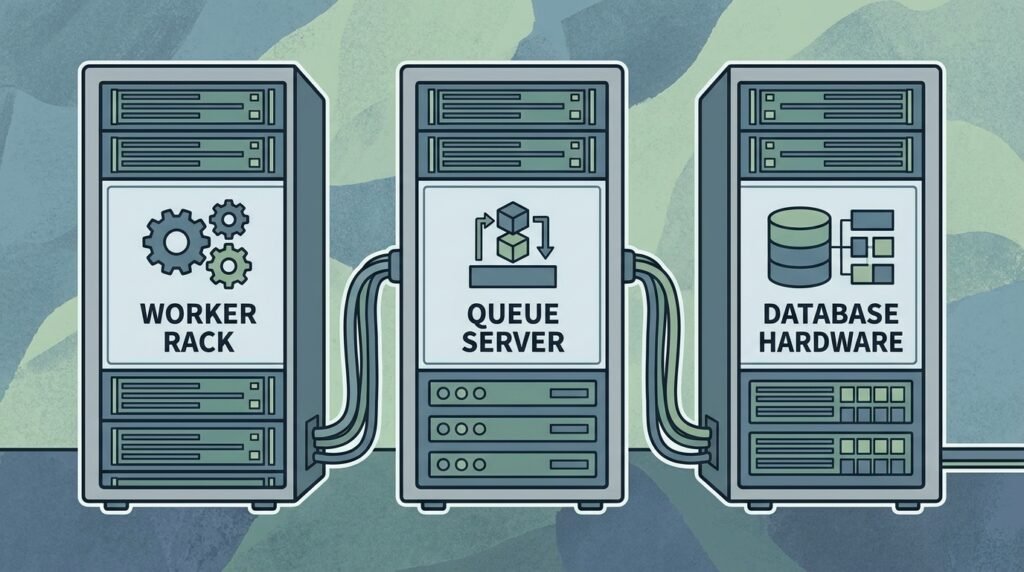
In regular mode, an n8n process receives work and executes workflows itself. Queue mode separates coordination from execution. The main n8n instance handles the editor, API, and scheduling responsibilities, then places eligible executions in Redis. One or more worker processes retrieve jobs and run them. A shared database—commonly PostgreSQL—stores persistent n8n data such as workflows, credentials, and execution records.
Redis is the queue transport, not a replacement for the database. Workers need access to the same Redis service, database, encryption key, and compatible n8n configuration as the main instance. The main instance and workers can run on separate containers or hosts, but they must agree on the environment needed to interpret workflows and decrypt credentials.
This design is useful when execution demand is variable or when workflows spend significant time waiting on network requests. Adding worker processes can increase throughput, and separate processes can keep a busy execution workload from monopolizing the editor. It does not make every workflow faster: a workflow waiting on a rate-limited third-party API still waits, and a single large execution may remain constrained by its memory and CPU needs.
Queue mode also introduces dependencies and operational work. Redis and the database must be reachable and appropriately sized. You need to observe queue depth, failures, worker health, and database pressure. If Redis becomes unavailable, workers cannot retrieve queued jobs; if the database is overloaded, adding workers may make contention worse rather than improve throughput.
Before changing architecture, measure current behavior. Record execution arrival rate, completion rate, duration percentiles, failure rate, database load, and peak queue depth. Compare these figures during a representative busy period, not just a quiet test. A growing queue means arrivals are outpacing completions, but the cause may be slow workflows, an external service limit, or insufficient worker capacity.
For the supported deployment model and version-specific details, consult the official n8n queue mode documentation. If you are still preparing a single-host deployment, the n8n self-hosting Docker Compose guide can help establish a consistent container foundation before you split services across hosts.
Think of n8n queue mode scaling as distributing execution capacity, not as automatic high availability. Multiple workers can provide more processing capacity, but the main process, Redis, database, network, and external APIs remain parts of the service path. Plan for each dependency rather than treating the worker count as the whole scaling strategy.
Build a multi instance n8n setup with shared services
Start by choosing a shared PostgreSQL database and a Redis deployment that can be reached reliably from the main instance and every worker. Keep these services on a private network, restrict access, and use authentication and transport protections appropriate to your environment. The Redis official management documentation explains operational considerations for Redis deployments; use a production configuration rather than assuming a local development container is suitable for sustained workloads.
Set up the database before launching workers. Configure every n8n process with the same database type and connection settings. Queue mode requires a shared database; SQLite is not the right shared datastore for a distributed production deployment. Monitor database connections and capacity as the number of workers increases, because concurrent jobs can create more reads, writes, and execution-data activity.
Configure the main instance for queue execution mode and point it at Redis. In a typical environment, the relevant settings include EXECUTIONS_MODE=queue and the Redis connection variables such as QUEUE_BULL_REDIS_HOST, port, and credentials, depending on the n8n release and deployment method. Verify exact variable names and supported options against the documentation for the version you run instead of copying an old environment file unchanged.
Launch workers using the n8n worker command, for example n8n worker, with the same n8n version and shared configuration as the main instance. Run each worker as a managed service or container with a restart policy, health checks, resource limits, and logs collected centrally. A worker that exits without an orchestrator restarting it quietly reduces capacity; a worker that restarts repeatedly can conceal configuration errors.
One essential consistency requirement is N8N_ENCRYPTION_KEY. Set the same key for the main instance and all workers so workers can decrypt credentials used by workflows. Keep the key secret, back it up securely, and do not rotate it casually: a mismatch can prevent execution from using stored credentials. Also keep custom nodes and required runtime dependencies consistent. A workflow can be published successfully and still fail on a worker that lacks a node or package installed on the main process.
Keep webhook intake in view when designing the deployment. Queue mode distributes executions, but the way webhooks are received and routed depends on your architecture. For higher webhook throughput, n8n supports separate webhook processors behind a load balancer; configure that only when the main and worker roles are already understood and tested. Ensure inbound routes, TLS, and health checks direct requests to the correct services.
For a multi instance n8n setup, document which process handles the editor, schedules, webhooks, and execution jobs. Then store configuration in a managed secret or deployment system and apply it consistently. This prevents a common failure: one container receives a new Redis password or encryption key while another continues using the old value. Start with one main instance and one worker, confirm a complete workflow run, and add capacity only after the shared-services path is healthy.

Set workflow execution concurrency limits deliberately
Adding workers increases the potential number of simultaneous executions, but the effective limit depends on both worker count and per-worker concurrency. In queue mode, worker concurrency can be configured with the worker command’s concurrency option, such as n8n worker --concurrency=5. Confirm the supported flag and defaults for your installed version. A value that is too low leaves resources idle; a value that is too high can exhaust memory, overload PostgreSQL, or trigger API throttling.
Estimate capacity from measured workload, not from the number of CPU cores alone. Suppose each worker has capacity for five concurrent executions and you run four workers: the theoretical worker-side concurrency is 20. That does not mean 20 jobs will complete instantly or that every workflow can safely run at once. A workflow with large binary payloads or memory-heavy code may need a smaller concurrency setting than a lightweight notification workflow.
A useful initial test is to begin with conservative concurrency and a single worker, then raise the value while monitoring memory, CPU, database connections, and execution duration. Repeat the test with a realistic mix of workflows. Compare throughput and tail latency: if completion rate stops improving while errors or resource use rise, you have passed the useful operating point.
Workflow execution concurrency limits should also reflect dependencies outside n8n. If a CRM API permits only a limited request rate, adding workers can make rate-limit responses spike. Use workflow-level pacing, batching, retries with backoff, or an integration-specific limiter where appropriate. Avoid aggressive retries that immediately requeue failed requests; they can turn a temporary vendor outage into a growing execution backlog.
Separate workloads when they have very different resource profiles. For example, image processing may need high memory and low concurrency, while short data lookups can run at higher concurrency. You can use different worker pools or deployment sizing strategies where supported by your architecture, while ensuring the same workflow dependencies and credentials are available to each eligible worker. Do not assume that all queued executions are interchangeable if you have customized worker routing.
Use queue depth as a signal, not as a standalone target. A brief rise during a scheduled import may be normal if the queue drains promptly afterward. A queue that grows continuously indicates that the long-run completion rate is below the arrival rate. Check execution duration and external-service latency before adding workers; otherwise, extra concurrency may amplify the underlying bottleneck.
When deciding workflow execution concurrency limits, include headroom for bursts and failures. If one worker goes offline, the remaining workers should not immediately overload the database. On the other hand, reserving too much headroom wastes capacity. Test a worker loss during a controlled load test and confirm that jobs are processed or retried as expected. Document your recovery expectations, including whether an in-progress execution may need investigation after a process interruption.
Finally, make concurrency an explicit operational setting. Record the chosen value, the reason for it, and the resource measurements that support it. Revisit it after changing workflow complexity, database capacity, n8n versions, or external API agreements. Tuning n8n queue mode scaling is iterative: the best configuration is one that sustains the target workload while keeping errors and latency within acceptable limits.
Roll out n8n queue mode scaling safely and test failure paths
Do not move a busy production environment directly from one process to a large worker fleet. First create a staging deployment that resembles production in n8n version, database, Redis configuration, custom nodes, and secrets. Use sanitized test data and workloads that represent short, long-running, API-heavy, and data-heavy workflows. This catches compatibility issues before queued production work depends on the new architecture.
- Back up and verify. Confirm that database backups complete and can be restored. Record the current n8n version, environment settings, encryption key location, and any custom node dependencies.
- Provision shared services. Establish PostgreSQL and Redis, restrict network access, and verify connectivity from every planned process. Check time synchronization, DNS, certificates, and secret injection.
- Start the main process in queue mode. Keep the deployment small at first. Verify the editor, API, schedules, and test webhooks behave as expected for your chosen topology.
- Add one worker. Run a controlled test workflow, confirm that it executes on the worker, and check that logs, execution records, and credential access are correct.
- Increase load gradually. Add workers or raise concurrency in measured steps. Track throughput, latency, errors, queue age, and service resource use after each change.
Test failure scenarios deliberately. Stop a worker while jobs are queued and confirm the remaining capacity continues processing. Temporarily block a worker’s connection to Redis in staging and observe how monitoring reports the problem. Test database unavailability and Redis restart behavior according to your recovery plan. The aim is not to claim that every interruption is harmless; it is to understand what the system retries, what it marks as failed, and what requires operator attention.
Pay special attention to changes during deployment. A rolling update can briefly leave workers on different n8n versions. Use a coordinated release process and confirm compatibility guidance before mixing versions. Keep custom nodes and environment variables aligned. If you need to roll back, know whether the previous release can read the current database state and whether queued jobs remain compatible with it.
For workflow-level rollback discipline, use the practices in these n8n workflow versioning and safe rollback steps. They complement infrastructure rollback by helping teams recover changes to workflow logic, which is often the source of a new execution failure after a deployment.
Establish a change window and a stop condition. For example, pause expansion if the queue age climbs, database connections approach their configured maximum, memory pressure rises, or error rates exceed your baseline. These thresholds should come from your own service objectives and workload measurements; there is no universal worker count that fits all installations.
During production rollout, keep the old path available only as long as the migration plan safely allows. Avoid running two schedulers that both trigger the same scheduled workflows unless duplicate execution is intended and controlled. Verify which instance owns scheduling and webhook responsibilities, and test that only the intended process handles each role. A careful cutover plus a tested rollback plan is safer than an improvised switch under load.
Good rollout practice makes n8n queue mode scaling predictable. You learn how your workflows behave, where the bottleneck moves, and which failures need human intervention. Capture findings in a runbook so the next worker addition is a repeatable capacity change rather than a fresh experiment.
Monitor the queue and keep the deployment healthy
Queue-based execution turns observability into a requirement. Monitor the main process, each worker, Redis, PostgreSQL, and the network between them. At minimum, collect worker availability, CPU and memory, execution success and failure counts, queue depth, queue age, execution duration, database connection use, and Redis health. Alert on trends that affect users, not only on a container being down.
Queue age is often more informative than raw queue depth. A queue of 100 quick jobs may drain in seconds, while a queue of 10 long-running jobs may indicate a serious delay. Track the age of the oldest waiting execution and compare it with your expected completion window. Pair that signal with arrival rate and completion rate to distinguish a temporary burst from sustained undercapacity.
Use structured logs and consistent identifiers so operators can follow a workflow from trigger to completion. Keep logs from the main instance and workers in one searchable system, with enough context to identify the process and execution. Protect sensitive values: credentials, personal data, and request bodies should not be copied into logs without a deliberate privacy review.
Execution-data retention is another capacity concern. Persisting detailed execution records can help with debugging and audit requirements, but unbounded retention can expand database storage and slow maintenance tasks. Choose retention settings based on operational and regulatory needs, then test cleanup behavior. Include backup size and restore duration in capacity planning rather than waiting for storage alerts.
For a practical starting point, define a small dashboard that answers four questions: Are jobs arriving? Are workers taking them? Are jobs completing successfully? Is any shared dependency approaching a limit? The n8n workflow monitoring dashboard setup guide can help shape that view. Keep alerts actionable—for example, alert on sustained growth in the oldest-job age, not on every brief queue fluctuation.
Scale the constrained layer. If workers are saturated and the database has headroom, adding workers may help. If PostgreSQL is already struggling, increasing worker concurrency can worsen the condition. If Redis is unhealthy, more workers will not restore queue access. If external APIs are throttling requests, add pacing or reduce simultaneous calls. This diagnostic sequence prevents the reflex to add compute for a bottleneck that is elsewhere.
A reliable multi instance n8n setup also needs ownership. Assign responsibility for upgrades, secrets, backup checks, alert response, and capacity reviews. Store runbooks alongside deployment configuration, and record the last known-good worker count and concurrency values. When a queue suddenly stalls, responders should be able to determine whether the issue is Redis reachability, database capacity, worker crashes, or a failed upstream integration.
Review workload patterns regularly. New workflows, larger payloads, or changed vendor behavior can shift resource use even when infrastructure is unchanged. Re-run representative load tests after meaningful changes, and use actual production metrics to update safe operating limits. With that feedback loop, n8n queue mode scaling becomes an ongoing capacity practice rather than a one-time configuration change.
Frequently asked questions
What does n8n queue mode scaling do?
Queue mode places executions into Redis so worker processes can retrieve and run them. The main n8n instance coordinates the deployment, while workers provide execution capacity. A shared database stores persistent n8n data. Queue mode is useful for distributing work, but it does not remove the need to size and monitor Redis, PostgreSQL, or external services.
How many workers should I start with?
Begin with one worker in a test environment, then add capacity based on measured arrival rate, completion rate, queue age, and resource use. The right count depends on workflow duration, payload size, host capacity, database performance, and vendor API limits. Add workers in controlled steps and stop when throughput no longer improves or a dependency becomes constrained.
Can I use SQLite for a multi instance n8n setup?
No. A distributed production deployment needs a shared database supported for that use case; PostgreSQL is a common choice. SQLite is not an appropriate shared database for multiple n8n processes. Verify database requirements against the documentation for your installed n8n version and deployment model.
How should I choose workflow execution concurrency limits?
Start conservatively and test representative workflows while monitoring memory, CPU, database load, execution latency, and third-party API responses. Increase concurrency in measured steps. Reduce it or apply workflow-level pacing if you see memory pressure, database contention, or rate limiting. There is no single safe value for every deployment.
Does adding workers guarantee high availability?
No. Workers add execution capacity, but Redis, the database, the main instance, networking, and external services can still fail. Use backups, health checks, alerting, and a tested recovery plan for those dependencies. Treat worker redundancy and service availability as related but separate design goals.
What is the most important configuration to share?
All processes need compatible n8n versions and access to the same database and Redis configuration. They must also use the same N8N_ENCRYPTION_KEY so workers can decrypt credentials. Keep custom nodes and required runtime dependencies consistent across processes as well.
Conclusion: scale execution capacity with evidence
Moving beyond one n8n process is a systems change, not just a matter of starting more containers. A shared database, Redis, consistent secrets, carefully tuned concurrency, and useful monitoring make a distributed deployment manageable. Begin with a representative test, add workers gradually, and use queue age and resource metrics to identify the real bottleneck.
With a measured approach to n8n queue mode scaling, your automation platform can handle higher workloads without sacrificing visibility or control. Need help designing a resilient automation architecture or planning a production rollout? Talk with Seelaunch about scaling your AI automation systems.

